

Running a small company means living in seven tabs at once. HR records sit in one app, time tracking in another, payroll somewhere else, projects in Asana, and invoices in a spreadsheet. The same names, hours, and client details get typed over and over, and nothing ever quite matches up.
BusinessHRM puts all of it in one place. It is a single platform with nine modules: HR management, time tracking, attendance and leave, payroll, projects and tasks, CRM, invoicing and finance, tickets and helpdesk, plus reports and analytics — with an AI assistant on top. One login, one database, so the same people, clients, and hours flow through every module automatically.
The BusinessHRM lifetime deal starts at $69 one-time for Tier 1, which covers 10 team members and 5GB of storage with lifetime access to all nine modules. Every tier includes all future Pro plan updates, and you can stack up to 5 codes to grow seats and storage — Tier 5 at $345 covers 40 team members and 100GB.
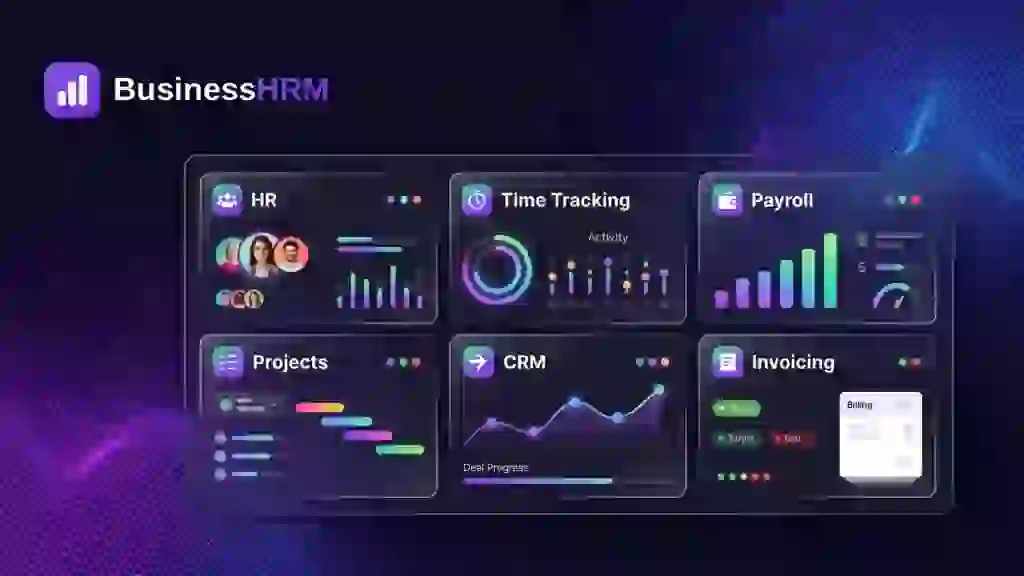
Core Features of BusinessHRM Lifetime Deal
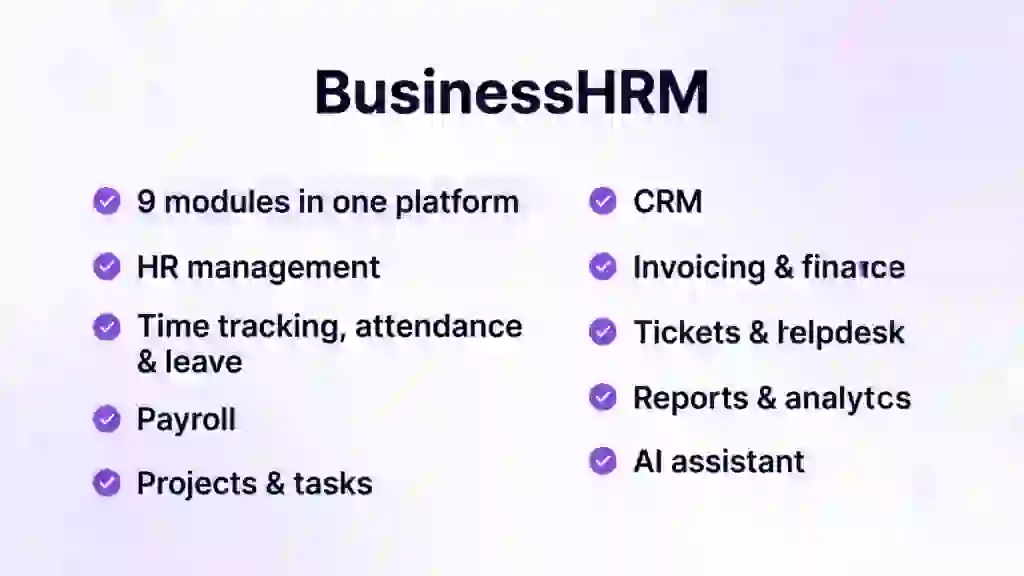
Nine Modules on One Database
This is the core idea. HR, time, payroll, projects, CRM, invoicing, helpdesk, and analytics all run on the same data instead of nine separate tools that need integrations. When someone clocks in, those hours can flow into payroll and invoicing without anyone re-typing them. For me, this is the whole pitch — one source of truth beats nine logins.
HR Management and Onboarding
You get employee records, documents, onboarding checklists, and an org chart in one module. Everything about a person lives in one record that the other modules trust. Hiring and onboarding a new team member does not mean setting them up in five different systems.
Time Tracking, Attendance, and Leave
Teams get timesheets with screenshots and activity tracking, and the company is upfront that it counts clicks and key presses — never what is typed. Attendance covers clock-in from anywhere, shifts, and time-off requests. For remote and field teams, this is the module that replaces a separate tracker like Hubstaff.
Payroll That Runs From Real Hours
Payroll is built on the hours your team already tracked, so pay runs reflect actual work instead of estimates. It is not a full-service tax-filing machine like Gusto, but for small teams that just need to pay people from real hours, it closes the loop inside the same platform.
Projects, CRM, and Invoicing
Projects run on Kanban boards and Gantt charts with time tracked on every task. The CRM handles pipeline and proposals, and a lead can turn into a project without leaving the platform. Invoicing pulls tracked time straight into invoices so clients get billed for the work that actually happened.
Helpdesk, Analytics, and an AI Assistant
Support tickets stay tied to the client and the project they belong to. Reports and analytics give live dashboards everyone can trust instead of end-of-month spreadsheet archaeology. And the AI assistant lets you ask your business questions and automates the busywork across modules.
Pros of BusinessHRM
- One login for nine tools: HR, time, payroll, projects, CRM, invoicing, helpdesk, and analytics share one database — no integrations to build or maintain.
- True lifetime pricing: $69 once for Tier 1, with all future Pro plan updates included. No subscription, ever.
- Same-day setup: most teams are up and running the same day, and their team helps with larger migrations for free.
- No re-typing: people, clients, and hours entered once flow through every module automatically.
- Fair time tracking: it counts clicks and key presses, never what is typed — a clear privacy line most trackers blur.
- Serious about security: data encrypted in transit and at rest, with role-based access controls and audit trails.
Cons of BusinessHRM
- Tier 1 caps are tight: 10 team members and 5GB of storage means growing teams will need to stack codes.
- 60-day redemption window: you must redeem your code(s) within 60 days of purchase, so do not buy codes to sit on them.
- Imports are manual for now: direct imports from Asana, Monday, or your current HR tool are on the roadmap — the team helps you migrate by hand in the meantime.
- Brand new on AppSumo: there were no reviews on the deal page at the time of writing, so early buyers are going on the feature list, not social proof.
- Generalist, not specialist: payroll and HR depth will not match dedicated tools — Gusto does multi-state tax filing, BambooHR does performance management. BusinessHRM wins on breadth, not depth.
Who is BusinessHRM best for?
- Small agencies: run HR, projects, time tracking, and client invoicing from one login instead of four subscriptions.
- Remote teams: timesheets, screenshots, and attendance tracking keep distributed work visible without extra tools.
- Software teams: Kanban, Gantt, and per-task time tracking handle delivery while HR and payroll run quietly underneath.
- Startups and SMBs: replace a stack of 5–7 monthly subscriptions with one $69 lifetime purchase.
- Construction and field teams: clock-in from anywhere plus shifts and time-off covers crews that never sit at a desk.
BusinessHRM AppSumo Pricing Plan
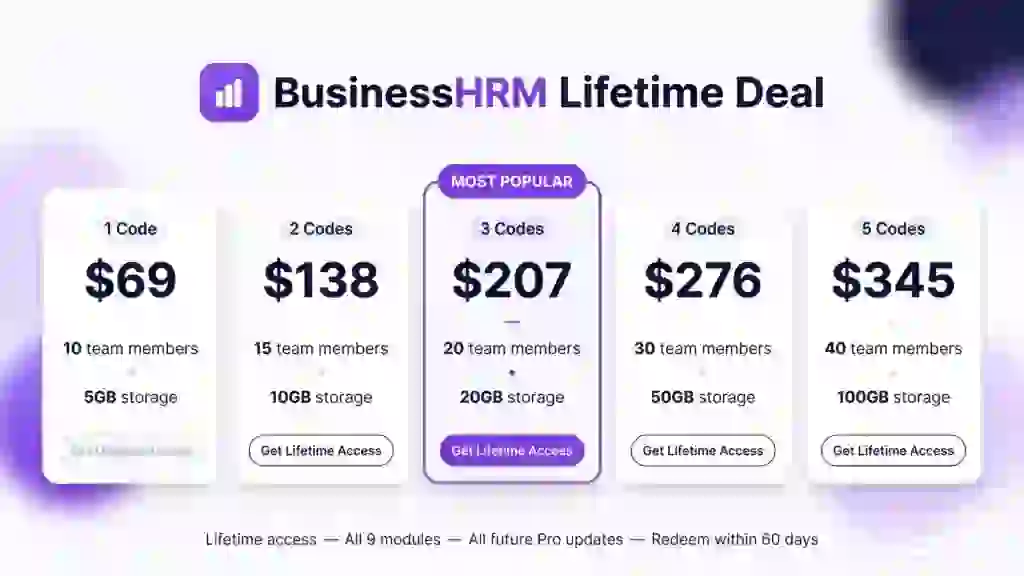
License Tier 1 — $69
- 10 team members
- 5GB storage
- Lifetime access to BusinessHRM — all 9 modules (HR, time, payroll, projects, CRM, invoicing, helpdesk, analytics)
- All future Pro plan updates
- Stack up to 5 codes
- Redeem your code(s) within 60 days of purchase
License Tier 2 — $138
Includes everything in License Tier 1, plus:
- 15 team members (up from 10)
- 10GB storage (up from 5GB)
License Tier 3 — $207
Includes everything in License Tier 2, plus:
- 20 team members (up from 15)
- 20GB storage (up from 10GB)
License Tier 4 — $276
Includes everything in License Tier 3, plus:
- 30 team members (up from 20)
- 50GB storage (up from 20GB)
License Tier 5 — $345
Includes everything in License Tier 4, plus:
- 40 team members (up from 30)
- 100GB storage (up from 50GB)
How to Get an Extra 10% OFF On BusinessHRM Lifetime Deal?

- Follow the instructions and get the extra benefit of 10% OFF 😉
- Go to this link AppSumo and get 10% OFF
- You will see a pop-up form comes for unlocking a 10% discount
- Provide your email there and claim your discount
- Note: This is available for first-time purchases only
5 Best BusinessHRM Alternatives 2026
If one platform for everything is not your style, these are the strongest single-purpose alternatives. Each does one job deeper than BusinessHRM does.
BusinessHRM vs BambooHR
BambooHR is the default HR platform for US small and mid-sized businesses, focused purely on HR: records, onboarding, performance, and hiring.
- Starting price: $10 per employee/month (Core); $250/month minimum for teams of 25 or fewer
- Main advantages: deeper HR feature set — performance management, 360 reviews, compensation planning, and 300+ compliance courses on higher plans
- Main limitation: HR only — payroll, time tracking, projects, and CRM all cost extra or need other tools
- Difference from BusinessHRM: BambooHR goes deep on HR; BusinessHRM goes wide across nine functions for one flat lifetime price
BusinessHRM vs Gusto
Gusto is a full-service payroll platform with automatic tax filings, benefits administration, and built-in HR basics.
- Starting price: $49/month + $6 per person (Simple plan)
- Main advantages: true full-service payroll — unlimited runs, automatic federal/state/local tax filing, contractor payments
- Main limitation: it is payroll-first; project management, CRM, and helpdesk are not in its world
- Difference from BusinessHRM: Gusto handles payroll compliance properly; BusinessHRM runs payroll from tracked hours inside a much bigger all-in-one suite
BusinessHRM vs Hubstaff
Hubstaff is a dedicated time tracking and workforce monitoring tool with screenshots, activity levels, and GPS.
- Starting price: $4.99 per seat/month billed annually ($7 monthly)
- Main advantages: deeper tracking — screenshots, app/URL logging, GPS locations, geofencing, and payroll integrations
- Main limitation: tracking only — no HR records, no CRM, no invoicing depth
- Difference from BusinessHRM: Hubstaff monitors work more deeply; BusinessHRM includes fair time tracking as one of nine modules
BusinessHRM vs Asana
Asana is a work management platform for tasks, projects, portfolios, and team collaboration.
- Starting price: $10.99 per user/month billed annually (Starter plan)
- Main advantages: best-in-class task management — timelines, portfolios, goals, workload, and 100+ integrations
- Main limitation: no HR, payroll, time-off, or invoicing — it manages work, not the company
- Difference from BusinessHRM: Asana runs projects better; BusinessHRM runs the whole company around those projects
BusinessHRM vs Monday.com
Monday.com is a flexible work OS with boards you can shape into CRMs, project trackers, and HR workflows.
- Starting price: $9 per seat/month billed annually (Basic plan)
- Main advantages: extreme flexibility — automations, 200+ integrations, and boards for almost any workflow
- Main limitation: flexibility means setup work; HR, payroll, and time tracking need building or add-ons, and seats sell in buckets
- Difference from BusinessHRM: Monday.com is a toolkit you configure; BusinessHRM is a finished nine-module suite on day one
Which BusinessHRM alternative fits best?
Pick BambooHR if HR depth is the priority and you will buy payroll separately. Pick Gusto if payroll compliance is the job and the rest can live elsewhere. Pick Hubstaff if time tracking and field monitoring are the core need. Pick Asana if project delivery is everything and HR is handled another way. Pick Monday.com if you want to build custom workflows yourself. Pick BusinessHRM if you would rather have all nine functions working on day one for a single lifetime payment.
Final Thoughts – BusinessHRM Review 2026
What I like most is the honesty of the concept. Most “all-in-one” tools are really one tool with plugins. BusinessHRM runs nine genuinely different functions — HR, time, payroll, projects, CRM, invoicing, helpdesk, analytics — on one database, and the AppSumo FAQ is refreshingly direct about where it beats BambooHR, Asana, and Hubstaff: shared data, one login, no integrations to maintain.
The controls that matter are all here: employee records with onboarding, fair time tracking with screenshots, clock-in and leave management, payroll from real hours, Kanban and Gantt projects, a real CRM pipeline, invoicing from tracked time, and live analytics. The honest gaps are the Tier 1 caps, the manual migration for now, and the fact that specialists will always go deeper in their one lane.
At $69 once with all future Pro updates included, the math is simple. If you are paying for even two of these tools monthly, BusinessHRM pays for itself in a few months and then costs nothing, forever.