

Meetings end. Notes don’t happen. You tell yourself you’ll write them up later, then the next call starts.
I have been there too many times. A bot joining my calls was never the answer either. It announces itself, creeps out clients, and sends my conversations to someone else’s cloud.
Pandecho takes a different path. It records, transcribes, and summarizes every meeting right on my own computer. No bot joins the call. Nothing leaves my laptop. And the Pandecho lifetime deal starts at $49 once, with lifetime access and free future updates.
Core Features of Pandecho Lifetime Deal
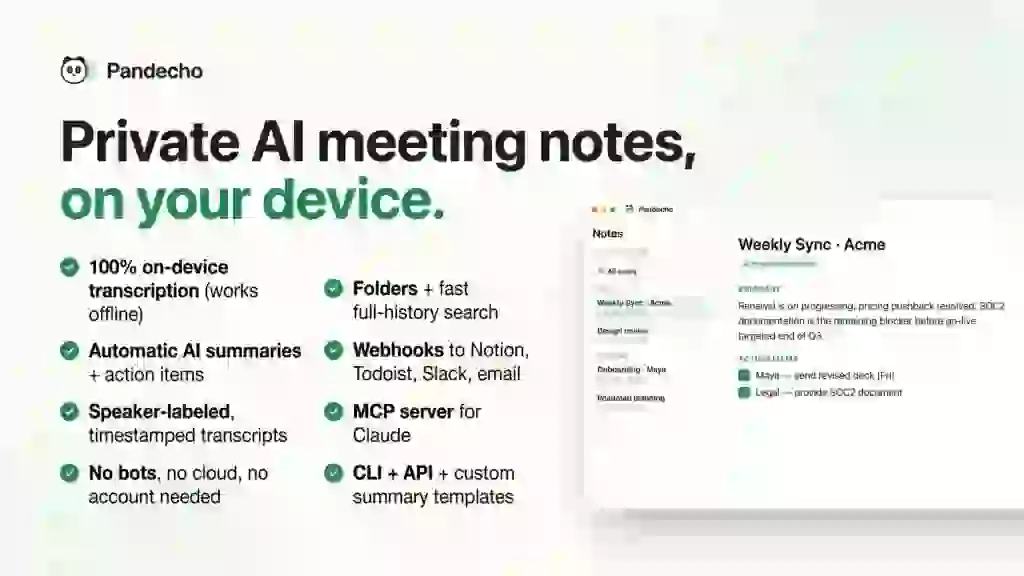
100% On-Device Transcription
Pandecho transcribes everything locally with an on-device model. Your audio is never uploaded anywhere. There are no Pandecho servers in the middle. For me, this is the whole point of the tool.
AI Summaries and Action Items
The moment a meeting ends, Pandecho writes a clean summary with decisions and action items. It turns scrappy raw notes into something I can actually send to a client. I don’t touch a thing.
Speaker-Labeled Transcripts
Every line of the transcript shows who said it, with timestamps. The speaker detection runs on-device too, and it works for in-person meetings, not just Zoom or Meet. I can search any phrase and jump straight to that moment.
No Bots, No Cloud, No Account
Pandecho captures system and microphone audio directly on your computer. No bot joins the meeting, so nobody sees a notetaker announce itself. You don’t need anyone’s permission to take your own notes.
Folders and Instant Search
Notes can be organized into folders by client, project, or engagement. The search across my whole meeting history is fast. When a client says “but you promised,” I find the exact line in seconds.
Webhooks, MCP Server, and API
Every finished meeting can fire a webhook into Notion, Todoist, Slack, or email via Zapier, Make, or Pabbly. The built-in MCP server gives Claude or Codex full context on every meeting. There is also a CLI and API for custom automations. This is the power-user layer I didn’t expect at this price.
Pros of Pandecho
- Total privacy: transcription and summaries run on your device — audio never leaves it.
- No awkward bot: nothing joins your calls, so clients never see a notetaker announce itself.
- One-time price: pay once, no subscription, no usage meter counting your minutes.
- Works offline: with the on-device model, everything runs without internet.
- In-person meetings covered: it records from your mic, not just video-call apps.
- Automation-ready: webhooks, MCP server, CLI, and API included for power users.
Cons of Pandecho
- Mac and Windows only: no Linux version and no mobile apps, per the official site.
- No unattended recording: since there is no bot, it can’t capture meetings you don’t attend yourself.
- Needs a decent machine: local transcription and the on-device LLM use your computer’s resources and disk space.
- Tiers differ only by devices: paying more adds device licenses, not extra features.
- Local AI has limits: the on-device summaries won’t match top cloud models; cloud summaries need your own ChatGPT subscription.
Who is Pandecho best for?
- Privacy-conscious professionals: anyone who can’t send client conversations to the cloud.
- Consultants and freelancers: clean summaries and action items after every client call.
- Founders: searchable history of every investor and team conversation.
- Lawyers and accountants: sensitive meetings stay on your own machine.
- Developers and power users: the MCP server, webhooks, CLI, and API fit right into their stack.
- Frequent flyers: offline mode means notes work even without wifi.
Pandecho AppSumo Pricing Plan
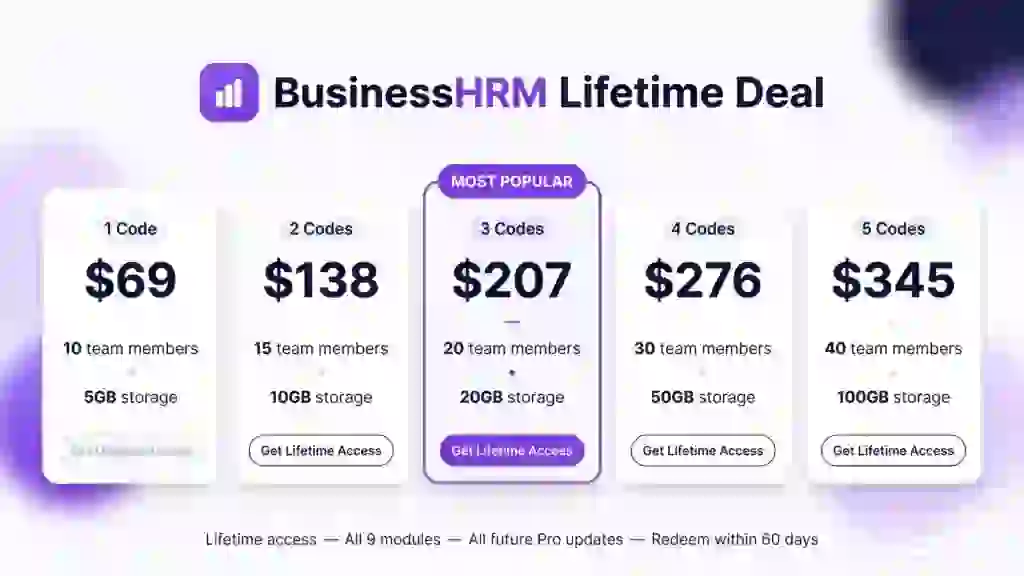
License Tier 1 — $49
- 1 device license
- Lifetime access to Pandecho
- All future plan updates
- On-device transcription and AI summaries
- Speaker-labeled, timestamped, searchable transcripts
- Folders, instant search, webhooks, MCP server, CLI, and API
- No codes, no stacking — just choose the plan that fits
- You must activate your license within 60 days of purchase
License Tier 2 — $119
Includes everything in License Tier 1, plus:
- 3 device licenses instead of 1
License Tier 3 — $349
Includes everything in License Tier 2, plus:
- 10 device licenses instead of 3
You can upgrade or downgrade between the three license tiers later.
How to Get an Extra 10% OFF On Pandecho Lifetime Deal?

- Follow the instructions and get the extra benefit of 10% OFF 😉
- Go to this link AppSumo and get 10% OFF
- You will see a pop-up form comes for unlocking a 10% discount
- Provide your email there and claim your discount
- Note: This is available for first-time purchases only
5 Best Pandecho Alternatives 2026
If Pandecho isn’t the right fit, here are the closest alternatives I know.
Pandecho vs Otter.ai
Otter.ai is the veteran cloud meeting assistant with real-time transcription and an auto-joining OtterPilot bot for Zoom, Meet, and Teams.
- Starting price: Free plan (300 min/month); Pro from $16.99/user/month ($8.33 on annual billing)
- Main advantages: mature product, deep integrations, strong collaboration features
- Main limitation: a visible bot joins your calls and your audio goes to their cloud; minute caps on every plan
- Difference from Pandecho: Otter is cloud-first with a bot; Pandecho is local-first with no bot and a one-time price
Pandecho vs Fireflies.ai
Fireflies.ai sends a bot (or a Chrome extension) to capture meetings, then pushes structured summaries into CRMs and task tools.
- Starting price: Free plan (unlimited transcription, limited storage); Pro from $18/seat/month ($10 on annual billing)
- Main advantages: huge integration library, conversation intelligence, generous free transcription
- Main limitation: bot-based capture; AI features run on a credits system that costs extra
- Difference from Pandecho: Fireflies lives in the cloud and meters AI usage; Pandecho keeps everything on your device with no meter
Pandecho vs Fathom
Fathom records Zoom, Meet, and Teams calls with transcripts, summaries, and shareable clips, and has a very generous free plan.
- Starting price: Free plan (unlimited recordings); Premium from $20/month ($16 on annual billing)
- Main advantages: excellent free tier, clean interface, video clips of key moments
- Main limitation: a bot joins your calls by default (bot-free capture is still beta, Mac only); no file uploads
- Difference from Pandecho: Fathom is cloud-based and call-platform focused; Pandecho works fully offline and covers in-person meetings
Pandecho vs Granola
Granola is a bot-free AI notepad that captures audio on your device and blends your typed fragments with the transcript into polished notes.
- Starting price: Free plan (limited history); Business from $14/user/month
- Main advantages: invisible capture, notes feel personal, popular with founders
- Main limitation: subscription-only, notes older than 30 days locked on free, cloud-processed
- Difference from Pandecho: Granola is a monthly subscription with cloud AI; Pandecho is a one-time license with on-device AI
Pandecho vs tl;dv
tl;dv records and transcribes meetings with AI notes, templates, and integrations across thousands of apps.
- Starting price: Free plan (10 AI notes lifetime); Pro from $29/seat/month ($18 on annual billing)
- Main advantages: unlimited recording on free, 5,000+ integrations, custom AI templates
- Main limitation: AI features are tightly capped on free; cross-meeting AI search needs the Business tier
- Difference from Pandecho: tl;dv is a cloud subscription tool; Pandecho is private, local, and pay-once
Which Pandecho alternative fits best?
Pick Otter.ai if you want the most mature cloud assistant with deep integrations. Pick Fireflies.ai if CRM automation matters most. Pick Fathom if you want the best free plan. Pick Granola if you like bot-free capture but are fine with a subscription. Pick tl;dv if you need thousands of integrations. Pick Pandecho if privacy, offline use, and a one-time price matter most.
Final Thoughts – Pandecho Review 2026
What I like most about Pandecho is simple: my meetings stay mine. No bot, no cloud, no subscription meter running in the background.
The features that matter are the on-device transcription, the automatic summaries with action items, and the speaker-labeled searchable transcripts. The webhooks and MCP server are a real bonus for anyone who automates their workflow.
At $49 once for lifetime access, the Pandecho lifetime deal is easy to justify if you take a lot of meetings and care even a little about privacy.