

If you need to create lots of product images, ads, email graphics, or social media visuals, doing everything one by one can take a lot of time.
Meet ImageDino.
ImageDino lets you create one image template and then use your data to make many different versions of that image. You can change things like the product name, price, photo, headline, and other details without making every design again from zero.
In this ImageDino review, we will look at its features, use cases, pros and cons, pricing, and the ImageDino lifetime deal.
What is ImageDino?
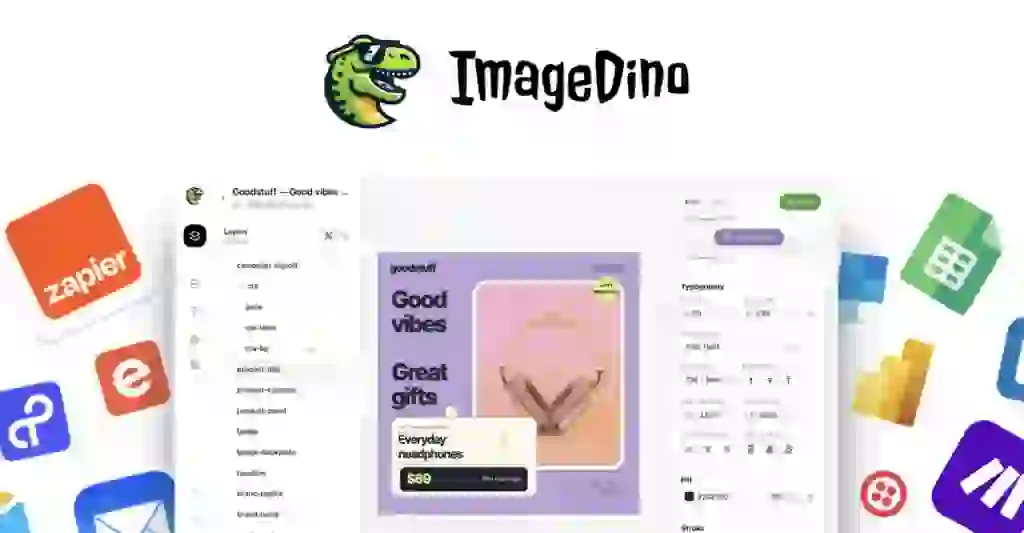
ImageDino is an image automation tool that helps you create many images from one design.
The basic idea is very simple.
You create a design template once. Then you connect your data to it. ImageDino can use that data to create new images automatically.
For example, imagine you have an online store with 500 products.
Instead of creating 500 product graphics by hand, you can make one template and let ImageDino change the product name, price, photo, and other information for each product.
You can use ImageDino for:
- Product images
- Online store graphics
- Ad creatives
- Email images
- Social media posts
- Open Graph images
- Real estate listings
- Personalized images
- YouTube thumbnails
- Other bulk image projects
ImageDino also offers API access, Dynamic URLs, Make integration, and MCP support for ChatGPT and Claude.
So, it is not really an AI image generator like Midjourney or an image editor like Photoshop.
Its main job is image automation at scale.
Best For
ImageDino can be useful for different types of users.
Ecommerce Stores
If you have a large product catalog, ImageDino can help you create consistent product visuals without designing every image separately.
Marketers
Marketers can create many ad versions with different products, offers, prices, and headlines.
Developers
Developers can use the ImageDino API to create images inside their own apps or websites.
Agencies
Agencies working with many clients can use templates to create lots of branded images faster.
Email Marketers
You can create personalized images where information such as a name, offer, or product can change for each person.
Real Estate Businesses
Real estate teams can create listing images using property photos, prices, locations, and other details.
Alternative To
ImageDino is similar to tools such as Bannerbear, DynaPictures, and Abyssale.
These tools have a similar goal: create images automatically from templates and data.
The main thing to understand is that ImageDino focuses on creating many image variations from one design.
For example:
One template → many products → many images.
This can save a lot of repeated design work.
ImageDino also gives you API access and Dynamic URLs, which can be useful if you want image generation to happen inside an existing website or workflow.
ImageDino Features
Now let’s look at the main ImageDino features.
Visual Template Editor
You can create image templates using ImageDino’s visual editor.
You can set your layout, fonts, colors, images, and other design parts.
Then you can decide which parts should stay the same and which parts should change.
This means you can keep your brand style while changing the content.
Dynamic Fields
Dynamic fields are one of the most useful parts of ImageDino.
For example, your template can have:
- Product name
- Product image
- Price
- Headline
- Location
- Offer
- Other text
When you provide new data, ImageDino can use that data to create a new version of the image.
Dynamic URLs
ImageDino also supports Dynamic URLs.
This lets you put information into a URL and have ImageDino create the image based on that information.
This can be useful for personalized email images and Open Graph images.
For example, your website can use one template but show different titles, photos, and prices for different pages.
API
Developers can use the ImageDino API to generate images from their own apps and systems.
The API lets you send a design ID and the information you want to change, then ImageDino returns the generated image.
Make Integration
ImageDino can connect with Make so you can build automated workflows without doing everything manually.
For example, you could connect product data to ImageDino and create images when new products are added.
MCP Support
ImageDino also supports MCP connections with ChatGPT and Claude.
This gives users another way to manage and create images through AI tools.
Multi-Format Export
You can export your designs in different formats.
This makes it easier to use the same design in different places.
Ad Variations
You can create different versions of an ad from the same main template.
Change the product, headline, price, or offer without rebuilding the whole design.
Open Graph Images
ImageDino can also create dynamic Open Graph images.
These are the images people see when your links are shared on social media, messaging apps, and other websites.
You can connect a Dynamic URL to your website so different pages can have different preview images.
ImageDino Regular Pricing
ImageDino offers a free trial on its website, while the AppSumo offer provides lifetime access through different license tiers.
The regular value shown for the AppSumo deal is:
| Plan | AppSumo Price | Listed Value | Image Credits/Month |
|---|---|---|---|
| Tier 1 | $39 | $199 | 500 |
| Tier 2 | $79 | $389 | 2,000 |
| Tier 3 | $149 | $569 | 5,000 |
| Tier 4 | $299 | $819 | 10,000 |
The plans also differ in areas such as bandwidth, number of projects, and usage limits.
ImageDino Lifetime Deal
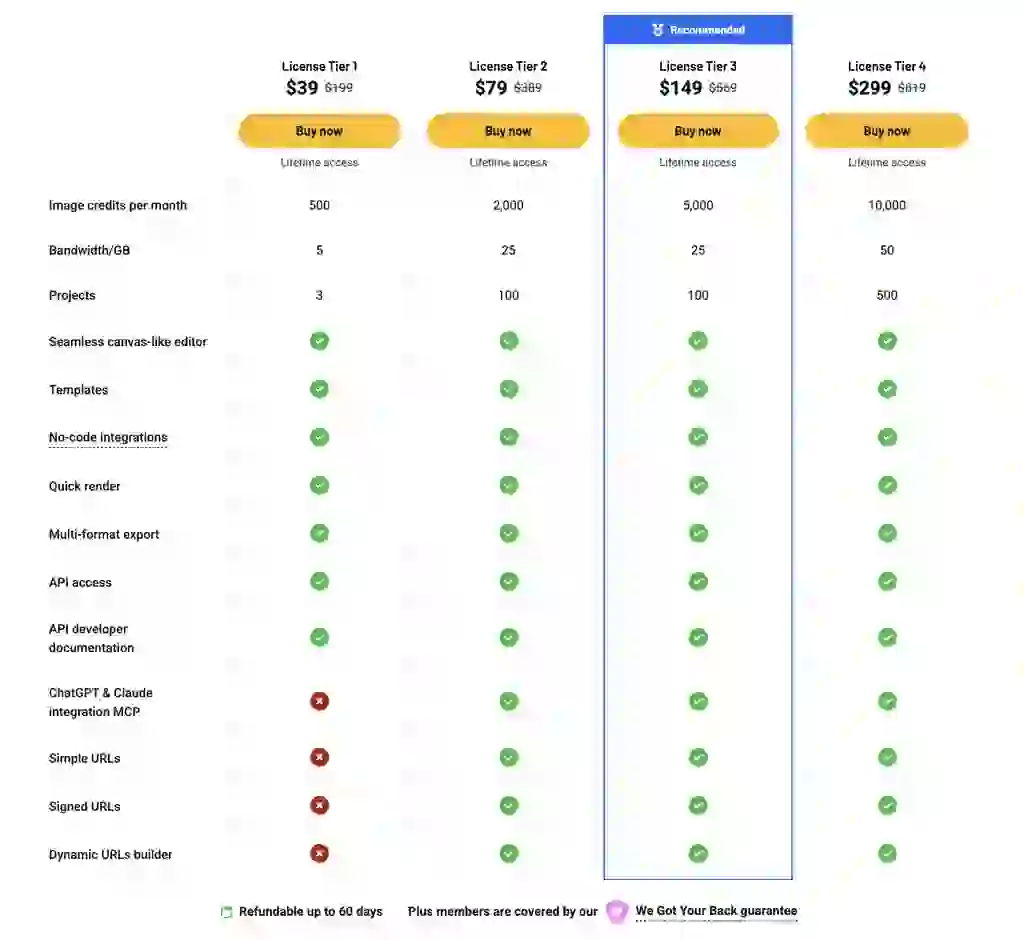
The ImageDino lifetime deal is available through AppSumo.
You can get lifetime access starting at $39.
Here are the main options:
License Tier 1 — $39
- 500 image credits per month
- 5 GB bandwidth
- 3 projects
- Lifetime access
License Tier 2 — $79
- 2,000 image credits per month
- 25 GB bandwidth
- 100 projects
- Lifetime access
License Tier 3 — $149
- 5,000 image credits per month
- 25 GB bandwidth
- 100 projects
- Lifetime access
License Tier 4 — $299
- 10,000 image credits per month
- 50 GB bandwidth
- 500 projects
- Lifetime access
All four tiers include features such as the visual editor, templates, no-code integrations, quick rendering, multi-format export, API access, Dynamic URLs, and MCP support.
The deal also includes future updates for the corresponding ImageDino plans.
There is also a 60-day money-back period on the AppSumo purchase.
One important point is that the AppSumo deal is for brand-new ImageDino users and the license must be activated within 60 days.
How to Get an Extra 10% OFF On ImageDino Lifetime Deal?

- Follow the instructions and get the extra benefit of 10% OFF 😉
- Go to this link AppSumo and get 10% OFF
- You will see a pop-up form comes for unlocking a 10% discount
- Provide your email there and claim your discount
- Note: This is available for first-time purchases only
AppSumo Plus members receive 10% off deal purchases automatically.
So before buying the ImageDino lifetime deal, check whether your account qualifies for a 10% discount.
What Makes ImageDino Stand Out From Others?
The biggest idea behind ImageDino is simple:
Create once. Use many times.
You do not need to rebuild the same design every time your product, price, headline, or photo changes.
For example, let’s say you sell 1,000 products.
You could make one product template.
Then your data can provide:
Product A → Image A
Product B → Image B
Product C → Image C
And so on.
This can be much easier than opening a design tool and changing every image manually.
ImageDino also gives you different ways to automate the process. You can use APIs, Dynamic URLs, Make, data sources, and MCP.
Another useful feature is on-demand image generation through Dynamic URLs.
But there is an important thing to remember.
ImageDino is mainly an automation tool.
If you only need to make a few images each week, you may not need a tool like this.
It becomes much more useful when you need to create many similar images again and again.
What Customers Say About ImageDino Reviews
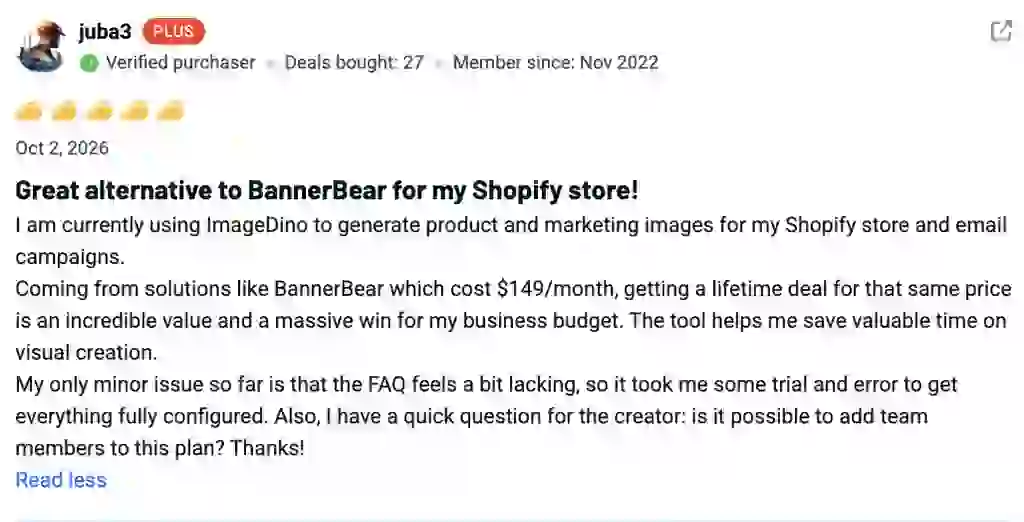
At the time of writing this ImageDino review, there are not many customer reviews available yet.
This is important because ImageDino is still a new product.
The product is also still growing, so there is not yet a large amount of long-term customer feedback to look at.
There are questions from users about things such as WordPress, Shopify, Open Graph images, credits, and integrations.
Some integrations may still be growing, so it is worth checking the current features before buying.
ImageDino Pros And Cons
Pros
- Easy idea: one template can create many images
- Useful for large product catalogs
- Supports API access
- Supports Dynamic URLs
- Supports Make
- Supports MCP with ChatGPT and Claude
- Useful for ecommerce
- Useful for ads and marketing
- Can create personalized images
- Can create Open Graph images
- Lifetime deal available
- 60-day money-back period
Cons
- It is a new product
- There are not many customer reviews yet
- Direct Shopify integration may be limited
- Direct WordPress integration may be limited
- Usage is limited by monthly image credits
- Bandwidth limits depend on the plan
- You may need a Figma account for some workflows
- It may be too much if you only create a few images
Final Verdict
So, is ImageDino worth looking at?
If you create lots of similar images, ImageDino is an interesting tool to consider.
Its main benefit is not simply making pretty images.
It is about saving repeated work.
You create the design once and then use your data to make many versions.
That can be very useful for ecommerce stores, agencies, marketers, developers, real estate teams, and anyone who needs hundreds or thousands of branded images.
The current ImageDino lifetime deal also starts at $39, which gives you a low-cost way to test the idea without starting with a monthly plan.
But I would not buy it just because it has a lifetime deal.
First ask yourself:
“Do I actually need to create a large number of similar images?”
If the answer is yes, ImageDino makes more sense.
If you only make a few images every month, a normal design tool may be enough.
For users who need image automation at scale, ImageDino has a clear use case and several useful ways to connect it to existing workflows.
ImageDino FAQ
What is ImageDino?
ImageDino is an image automation platform that lets you create many image variations from one template and changing data.
Does ImageDino have a lifetime deal?
Yes. ImageDino has a lifetime deal through AppSumo.
How much is the ImageDino lifetime deal?
The available plans start at $39 and go up depending on the license tier you choose.
Who should use ImageDino?
ImageDino is mainly useful for ecommerce businesses, marketers, developers, agencies, and anyone who needs to create many similar images.
Can ImageDino create product images?
Yes. You can use product names, photos, prices, offers, and other data to create product visuals from a template.
Does ImageDino have an API?
Yes. ImageDino provides API access for developers who want to generate images from their own apps or workflows.
Does ImageDino work with Shopify?
ImageDino does not focus on a direct Shopify connection. You can use automation tools such as Make to connect different services.
Does ImageDino work with WordPress?
You can use tools such as Make or the API to connect ImageDino with your WordPress workflow.
Does ImageDino support Open Graph images?
Yes. ImageDino can create dynamic Open Graph images.
Does ImageDino have a free trial?
Yes. ImageDino offers a free trial.
Is ImageDino an AI image generator?
Not exactly. ImageDino mainly creates image variations from templates and data rather than creating completely new images from text prompts.
Is the ImageDino lifetime deal worth it?
It depends on how much image automation you need. If you regularly create large numbers of similar images, the lifetime deal can be useful. If you only make a few images, you may not need a specialized image automation tool.