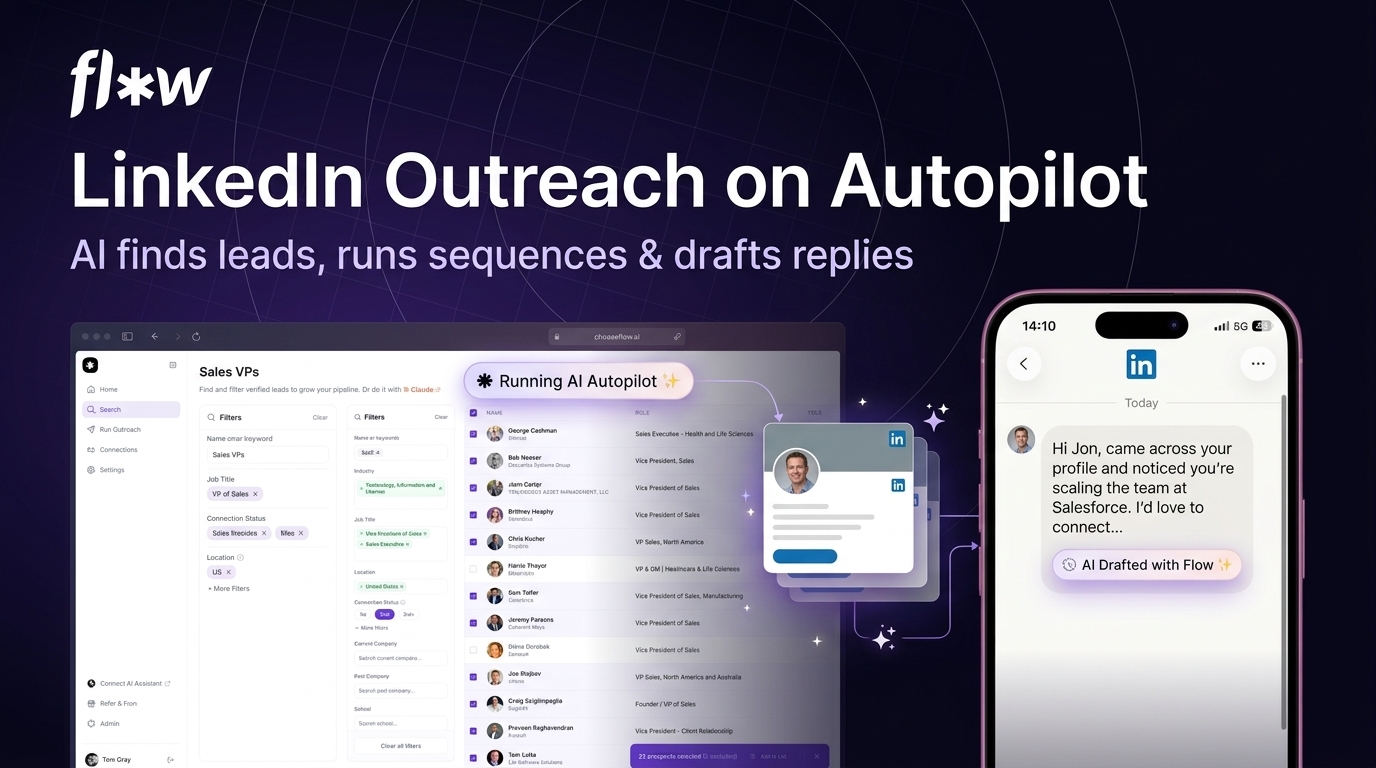
LinkedIn outreach is slow when you do it by hand. You find leads one by one, send connection requests, wait, follow up, and try to remember who replied where. Most people give up before the pipeline fills.
Flow AI does the whole chain for you. It is an AI-powered LinkedIn outreach platform with a 300M+ profile database. It finds leads, runs multi-step outreach sequences on autopilot, drafts replies in your voice, and keeps every conversation in one shared inbox with a built-in CRM. You can even run it from Claude or ChatGPT through its LinkedIn MCP.
The Flow AI lifetime deal starts at $69 once for lifetime access. There are three tiers, going up to $279. It is rated 4.89 out of 5 from 112 reviews on AppSumo.
Core Features of Flow AI Lifetime Deal
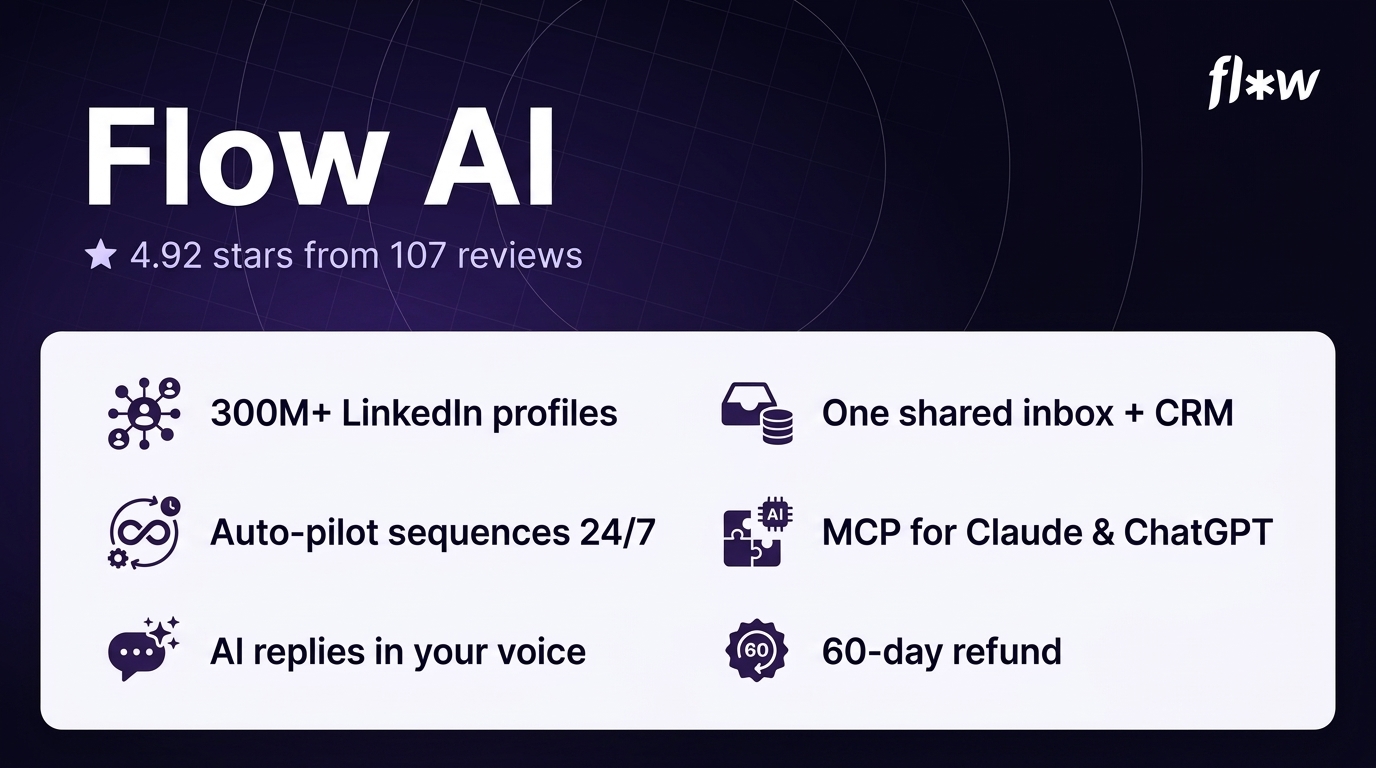
Lead finder with 300M+ profiles
Flow AI searches a database of 300M+ LinkedIn profiles. You describe your ideal customer in the AI search bar, and it finds the people most likely to reply. You can target signals like job changes and recent posts. No Sales Navigator or third-party database is required.
Auto-pilot outreach sequences
Multi-step LinkedIn campaigns run 24/7 while you sleep. Profile visits, likes, connection requests, follow-ups, and messages go out with human-like pacing. Flow AI sends at most 15 connection requests per account per day, only between 9am and 6pm local time. New accounts ramp up gradually over their first 15 days.
Co-pilot AI replies
Flow AI drafts personalised replies in your voice, with full context on the person and the message history. It can read up to 250 of a prospect’s most recent posts. You review and approve before anything is sent, so a human stays in the loop.
Unified inbox and built-in CRM
All replies from every connected LinkedIn account land in one shared inbox. You can track reply status, lead ownership, and follow-up timing, and schedule messages for a specific date and time. It works as a simple CRM, so no lead slips through.
LinkedIn MCP for Claude and ChatGPT
You can connect Claude, ChatGPT, Cursor, or Claude Code to Flow AI’s MCP and run outreach by prompting. Find leads, run sequences, read and draft replies, and push leads into HubSpot, Salesforce, or Instantly. Routines and scheduled tasks can run agents around the clock.
Multi-sender rotation
On higher tiers, you can connect and rotate multiple LinkedIn accounts so daily per-account limits scale. Every account feeds one shared inbox and dashboard, filterable by sender and list.
Pros of Flow AI
- True autopilot: Sequences run 24/7 with human-like pacing, so outreach keeps going while you sleep.
- Human-like safety limits: 15 connection requests a day, daytime hours only, and a 15-day ramp for new accounts keep you inside LinkedIn’s limits.
- No Sales Navigator needed: The 300M+ profile database is built in, so you do not need another subscription to find leads.
- AI replies in your voice: Co-pilot drafts replies with full context, and you approve before sending.
- MCP support: Claude and ChatGPT can run your outreach from a prompt, which is rare at this price.
- One shared inbox: Every account’s replies land in one place with a built-in CRM.
- 60-day refund: AppSumo gives you 60 days to test it and get your money back if it does not fit.
Cons of Flow AI
- LinkedIn automation carries account risk: LinkedIn restricts automated activity. Aggressive use can get a profile limited or banned, and no third-party tool can guarantee it will not happen.
- Very young vendor: The company was founded in April 2026 and is bootstrapped with 1–10 staff. A lifetime deal is a bet on a young company still being there.
- LinkedIn only: There is no deep multichannel sequencing with email cadences, cold calling, or SMS. If LinkedIn is not your main channel, this is the wrong tool.
- Tier 1 is one account only: Solo users with a single profile are fine, but agencies or multi-profile users need the $149 or $279 tier.
- Lead search accuracy: The AppSumo review summary mentions minor issues with lead search accuracy. Test search quality during the 60-day refund window.
- Occasional manual follow-ups needed: The AppSumo review summary notes some follow-ups still need a human touch.
- Deliverability untested by reviewers: Reviewers have not tested the auto-pilot behaviour in depth. Use the 60-day window to check how the messages read.
Who is Flow AI best for?
- Solo sellers and founders: You run your own outbound and want LinkedIn working while you do other work.
- Agencies: You run outreach for several clients and need multi-sender rotation with one shared inbox.
- B2B sales teams: You need a steady flow of LinkedIn conversations without hiring more SDRs.
- Recruiters: You reach out to candidates on LinkedIn every day and want sequences and replies handled in one place.
- AI workflow builders: You want Claude or ChatGPT to run outreach from a prompt through the MCP.
Flow AI AppSumo Pricing Plan
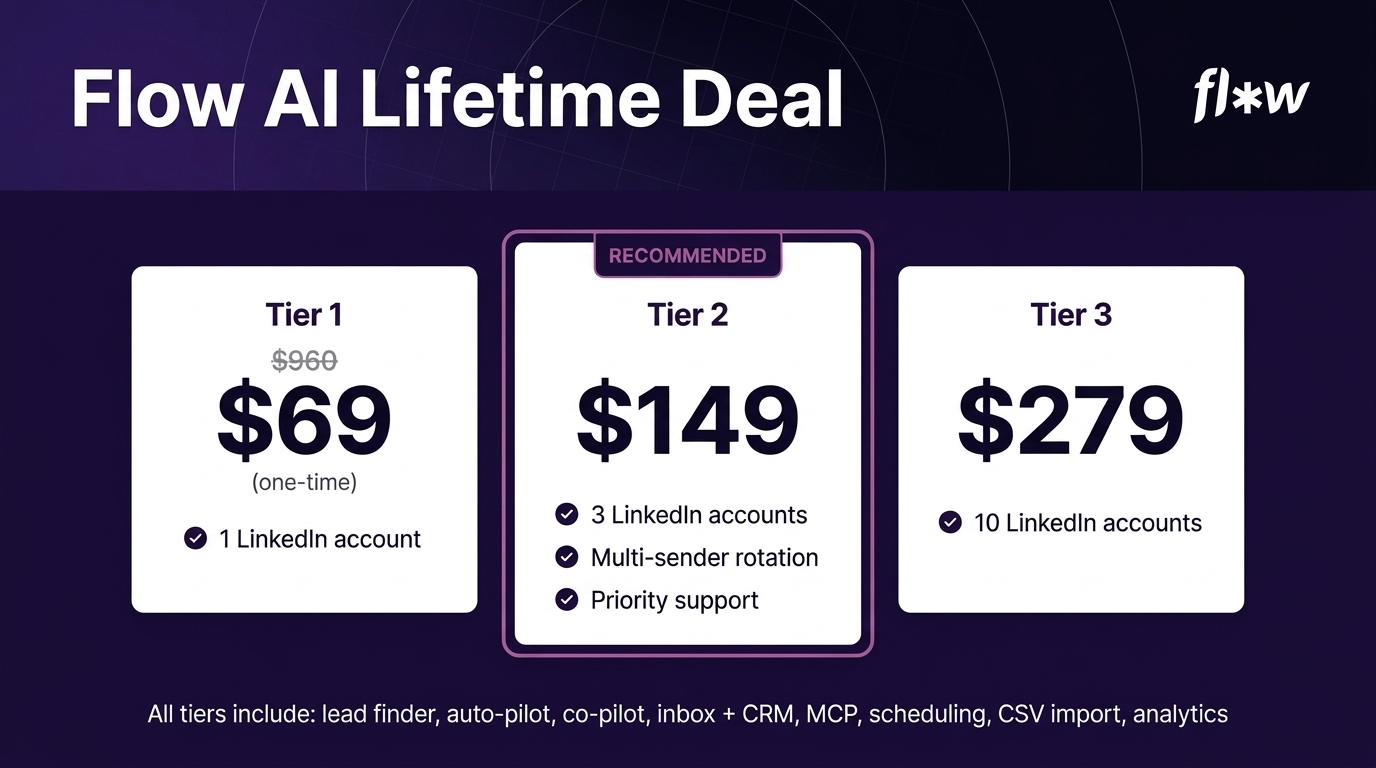
The Flow AI lifetime deal has three tiers. The tiers differ mainly in how many LinkedIn accounts you can connect: 1, 3, or 10. Tier 2 is marked as the recommended option on AppSumo. You must activate your license within 60 days of purchase, and you can upgrade while the deal is live.
License Tier 1 — $69
- One-time payment of $69 (list price $960)
- 1 LinkedIn account
- Lead finder with 300M+ LinkedIn profiles
- Auto-pilot outreach sequences with human-like pacing
- Co-pilot AI replies in your voice
- Unified inbox and built-in CRM
- LinkedIn MCP for Claude and ChatGPT
- Schedule messages for a specific date and time
- CSV import of LinkedIn profile URLs
- Analytics dashboard
License Tier 2 — $149
Includes everything in License Tier 1, plus:
- One-time payment of $149
- 3 LinkedIn accounts
- Multi-sender rotation across accounts
- Priority support
License Tier 3 — $279
Includes everything in License Tier 2, plus:
- One-time payment of $279
- 10 LinkedIn accounts
How to Get an Extra 10% OFF On Flow AI Lifetime Deal?

- Follow the instructions and get the extra benefit of 10% OFF 😉
- Go to this link AppSumo and get 10% OFF
- You will see a pop-up form comes for unlocking a 10% discount
- Provide your email there and claim your discount
- Note: This is available for first-time purchases only
5 Best Flow AI Alternatives 2026
If Flow AI is not the right fit, these five tools cover similar ground. Each one works differently, so pick by how you run outreach.
Flow AI vs HeyReach
HeyReach is cloud multi-sender LinkedIn automation built for agencies, with per-sender pricing and a unified inbox.
- Starting price: $79 per sender per month (around $64 billed yearly)
- Main advantages: Built for agencies, strong multi-sender setup, unified inbox
- Main limitation: Monthly per-sender pricing adds up fast with many accounts
- Difference from Flow AI: HeyReach is a monthly agency tool. Flow AI is a one-time payment with an MCP and AI replies built in.
Flow AI vs Expandi
Expandi is cloud LinkedIn outreach with deep conditional campaign logic for teams that want if-then flows.
- Starting price: $99 per month per seat ($79 billed annually)
- Main advantages: Powerful conditional logic, mature product, smart inbox
- Main limitation: Sales Navigator is required separately for advanced filtering, which adds $99 a month
- Difference from Flow AI: Expandi is a mature monthly tool with complex logic. Flow AI adds AI replies and MCP control at a one-time price.
Flow AI vs Dripify
Dripify is a simple cloud LinkedIn drip-sequence builder for solo sellers and small teams.
- Starting price: $59 per month per user ($39 per month for Basic billed annually)
- Main advantages: Simple to set up, LinkedIn plus email sequences, good for solo users
- Main limitation: No AI reply drafting and no MCP support
- Difference from Flow AI: Dripify is a straightforward monthly sequence tool. Flow AI adds AI-drafted replies and a 300M+ lead database.
Flow AI vs Lemlist
Lemlist is email-first multichannel outreach with a strong focus on deliverability and personalisation.
- Starting price: $69 per month for Email Pro; LinkedIn steps need the Multichannel plan at $87 per user per month billed annually
- Main advantages: Strong email deliverability tools, multichannel sequences, big user base
- Main limitation: LinkedIn costs extra on top of the email plan, and there is no MCP
- Difference from Flow AI: Lemlist leads with email and charges monthly. Flow AI is LinkedIn-first with a one-time price.
Flow AI vs Waalaxy
Waalaxy is freemium LinkedIn outreach with an extension and a cloud mode, aimed at budget solo users.
- Starting price: Free tier with limited invites per week; paid Pro from €19 per user per month billed yearly
- Main advantages: Free tier to start, simple interface, good for light use
- Main limitation: Free tier is very limited, and there is no AI reply drafting or lead database
- Difference from Flow AI: Waalaxy is a light freemium tool. Flow AI is a full outreach platform with AI replies and a built-in lead database.
Which Flow AI alternative fits best?
Pick HeyReach or Expandi if you run an agency and want a mature monthly platform. Pick Dripify if you want simple LinkedIn sequences on a budget. Pick Lemlist if email is your main channel and LinkedIn is secondary. Pick Waalaxy if you want a free way to start. Pick Flow AI if you want LinkedIn outreach on autopilot with AI replies at a one-time price.
Final Thoughts – Flow AI Review 2026
What I like most about Flow AI is how much of the work it takes off your plate. The lead finder, the autopilot sequences, and the AI replies cover the whole chain from finding a prospect to answering them. The MCP support is the part that stands out. Being able to run outreach from a Claude prompt is not something you get from the older tools.
The features that matter are the human-like pacing and the shared inbox. The pacing keeps you inside LinkedIn’s limits, and the inbox means nothing gets lost when you run more than one account. The 15-request daily cap is low, but it is the honest way to run automation.
At $69 once for lifetime access, the Flow AI lifetime deal is worth it if LinkedIn is your main outreach channel and you are comfortable with the account risk that comes with any automation tool. The 60-day refund gives you room to test it first.