Garmingo Voice Lifetime Deal – Private Dictation and Meeting Notes on Your Device
I type too slowly for my own thoughts. By the time my fingers catch up, the idea is gone. I have tried phone notes, voice memos, and half-finished drafts. Nothing kept up with the way I actually think.
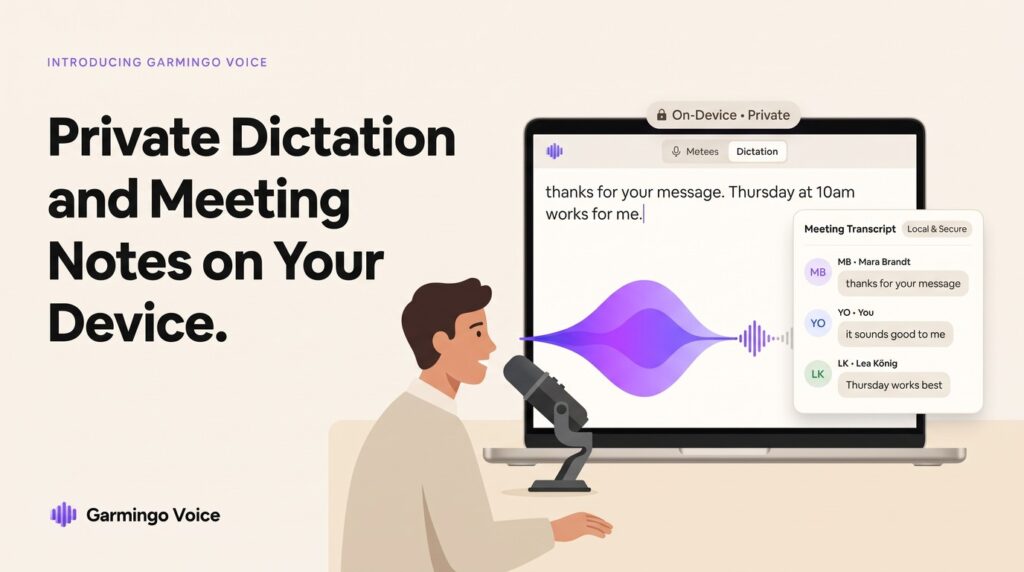
Garmingo Voice is a dictation and transcription app for Mac and Windows. It turns your speech into text anywhere on your computer. It also records and transcribes your meetings, and cleans up your microphone sound in real time. The AI runs on your own device by default, so your voice and your words stay private.
The Garmingo Voice lifetime deal starts at $39.20 once, and there is a live 20% off sale running with about 3 days left. You get lifetime access on every tier. Higher tiers add more devices and a bigger pool of one-time cloud credits. The deal has 4.2 stars from 5 reviews on AppSumo.
Core Features of Garmingo Voice Lifetime Deal
System-Wide Dictation
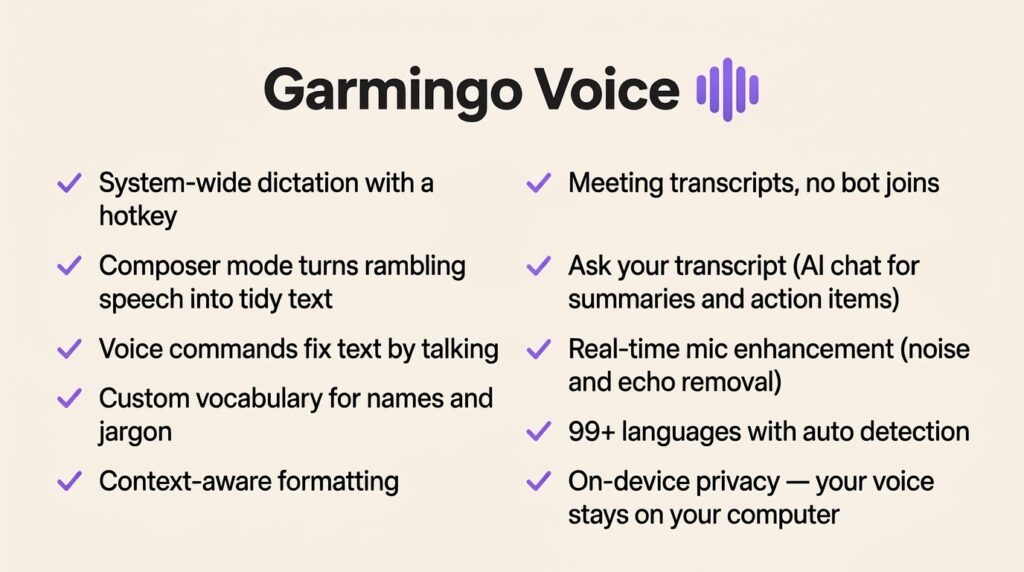
You press a hotkey and start talking. Your words land wherever your cursor is. It works in Gmail, Slack, Notion, VS Code, Word, Google Docs, and your browser. The default hotkey is Cmd+Shift+Space on Mac, and you can change it. Garmingo says you can speak at around 200 words a minute, against about 40 words a minute typing.
Composer Mode
Composer turns rambling speech into tidy, formatted text. It trims filler words, swaps the wrong word, and changes the tone. You see a live preview before the text lands. For me, this is the feature that makes dictation usable. Raw speech is messy. Composer cleans it up first.
Meeting Transcripts
Garmingo Voice records meetings from any app, like Zoom or Teams, right on your machine. No bot joins the call. You get a transcript with speaker labels and timestamps. You can search it, export it, and import audio files recorded elsewhere. Remove Silence trims the dead air out of a recording.
Ask Your Transcript
You can ask a recording questions in plain language. It can pull out summaries, decisions, quotes, and action items. I like this for long calls. Instead of re-listening to an hour of talk, I ask what was decided and get the answer.
Real-Time Mic Enhancement
The app removes background noise and echo from your microphone while you talk. It has a 5-band equalizer, a compressor, and a warmth effect. Each effect toggles on its own. On Mac it runs through an audio driver you install from the app’s audio settings. Your calls sound cleaner without buying new hardware.
Private On-Device AI
This is the core of the product. The AI runs on your machine by default. Garmingo says nothing is shared, not even with them. The optional EU cloud is opt-in only. Audio is never stored and never used for training. The company is based in Germany and built the product GDPR-first. It works in 99+ languages, with automatic language and accent detection.
Pros of Garmingo Voice
- Private by default: AI runs on your device, so your voice and text are not sent to a server.
- Works everywhere: Dictate into any app — email, docs, code, chat — with one hotkey.
- No meeting bot: Transcripts come from your own machine, so no stranger bot joins your calls.
- One-time payment: Lifetime access on every tier, with all future subscription-plan updates included.
- Works offline: On-device dictation and transcription keep working offline for several days after a quick licence recheck.
- 99+ languages: Dictation and transcripts in almost any language, with automatic detection.
- 60-day refund: You can try it and get your money back within 60 days if it does not fit.
Cons of Garmingo Voice
- Mac and Windows only: There is no Linux version and no mobile app.
- Cloud credits are finite: Each tier gives a one-time pool of cloud credits, and heavy cloud use will run out. Local processing is unlimited and uses no credits.
- New users only: The deal is only for brand-new Garmingo users, with no previous accounts, trials, or paid plans.
- Composer needs a check: It can miss names, skip details, or change words, so I read the output before I send it.
- Some future AI models may cost extra: Even with a lifetime licence, some new models may carry an extra charge.
- Mac driver install: Mic enhancement on Mac needs an audio driver installed from Settings, then kept updated.
- Thin review base: Only 5 AppSumo reviews so far, at 4.2 stars, so buyer proof is still thin.
Who is Garmingo Voice best for?
- Writers and bloggers: Dictate first drafts at speaking speed instead of typing them.
- Professionals in meetings: Get searchable transcripts and action items without a bot in the call.
- Developers: Dictate comments, docs, and messages without leaving the keyboard behind.
- People who hate typing: If typing is slow or painful for you, talking is simply faster.
- Privacy-conscious users: Your voice stays on your machine, with no cloud by default.
- Multilingual teams: 99+ languages with automatic detection covers most of the world.
Garmingo Voice AppSumo Pricing Plan
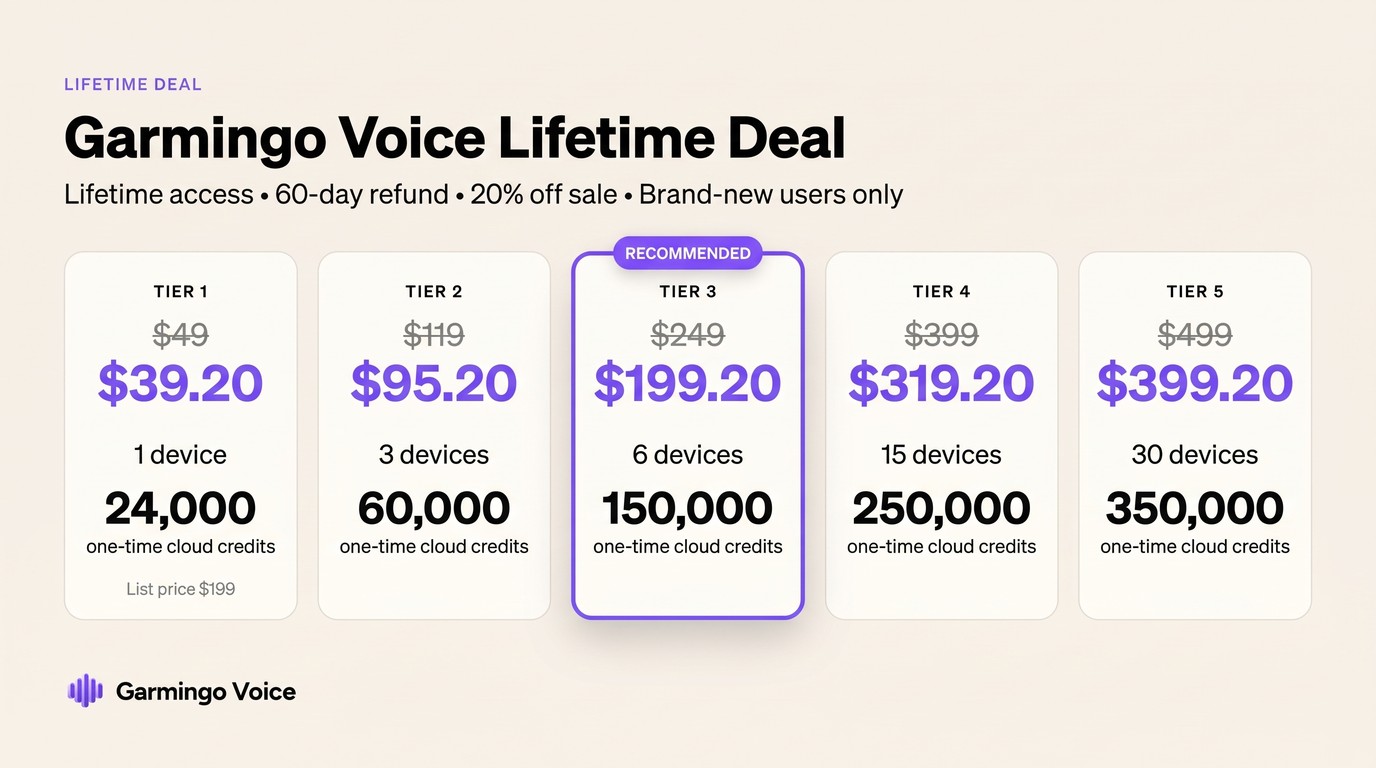
There is a live 20% off sale on every tier, with about 3 days left. Prices below are the current payable prices. The AppSumo prices are struck through on the deal page. Only Tier 1 shows a list price ($199). All tiers share the same full feature list. Only the device count and the one-time cloud credit pool change.
License Tier 1 — $39.20
- One-time payment of $39.20 (list price $199; AppSumo price $49 struck through, 20% off)
- Lifetime access
- Unlimited local transcription
- Full offline use
- 1 device
- 24,000 one-time cloud credits (about 24 hours of cloud dictation — 1,000 credits is about 1 hour)
License Tier 2 — $95.20
Includes everything in License Tier 1, plus:
- One-time payment of $95.20 (AppSumo price $119 struck through, 20% off)
- 3 devices
- 60,000 one-time cloud credits (about 60 hours of cloud dictation)
License Tier 3 — $199.20
Includes everything in License Tier 2, plus:
- One-time payment of $199.20 (AppSumo price $249 struck through, 20% off)
- 6 devices
- 150,000 one-time cloud credits (about 150 hours of cloud dictation)
- This is AppSumo’s recommended pick
License Tier 4 — $319.20
Includes everything in License Tier 3, plus:
- One-time payment of $319.20 (AppSumo price $399 struck through, 20% off)
- 15 devices
- 250,000 one-time cloud credits (about 250 hours of cloud dictation)
License Tier 5 — $399.20
Includes everything in License Tier 4, plus:
- One-time payment of $399.20 (AppSumo price $499 struck through, 20% off)
- 30 devices
- 350,000 one-time cloud credits (about 350 hours of cloud dictation)
The deal is for brand-new Garmingo users only. You must activate within 60 days of purchase. You can upgrade while the deal is live, and move to a lower tier within 60 days of purchase. It is refundable up to 60 days. It carries the AppSumo Launchpad badge. The We Got Your Back guarantee applies to Plus members only.
How to Get an Extra 10% OFF On Garmingo Voice Lifetime Deal?

- Follow the instructions and get the extra benefit of 10% OFF 😉
- Go to this link AppSumo and get 10% OFF
- You will see a pop-up form comes for unlocking a 10% discount
- Provide your email there and claim your discount
- Note: This is available for first-time purchases only
5 Best Garmingo Voice Alternatives 2026
If Garmingo Voice is not the right fit, these are the closest alternatives. Prices are starting prices from October 2026 readings, so check them again before you buy.
Garmingo Voice vs Wispr Flow
Wispr Flow is a dictation app for desktop and mobile, with a free plan of 2,000 words a week.
- Starting price: Pro $12 per user per month billed annually ($15 monthly)
- Main advantages: Works on mobile as well as desktop, and has a free plan to try
- Main limitation: Cloud-based, so your voice goes to their servers; no lifetime option
- Difference from Garmingo Voice: Wispr Flow is cloud dictation with a monthly bill. Garmingo Voice keeps your voice on your device and charges once.
Garmingo Voice vs Otter.ai
Otter.ai is a meeting transcription tool with summaries and team sharing.
- Starting price: Pro $8.33 per user per month billed annually ($16.99 monthly); free Basic plan with 300 minutes a month
- Main advantages: Strong meeting summaries, team workspaces, and integrations with Zoom and Google Meet
- Main limitation: Cloud-only, and its dictation is not the focus
- Difference from Garmingo Voice: Otter.ai is built for teams and meetings in the cloud. Garmingo Voice is a personal, private, on-device tool that also does dictation.
Garmingo Voice vs Descript
Descript lets you edit audio and video by editing the text transcript.
- Starting price: $16 per month billed annually; free plan available
- Main advantages: Edit recordings like a document, with studio sound and screen recording built in
- Main limitation: It is an editor, not a system-wide dictation tool
- Difference from Garmingo Voice: Descript is for producing audio and video content. Garmingo Voice is for writing and meeting notes in any app.
Garmingo Voice vs Fireflies.ai
Fireflies.ai is an AI meeting assistant that records, transcribes, and summarizes calls, with CRM sync.
- Starting price: Pro $10 per seat per month billed annually ($18 monthly); free plan available
- Main advantages: Automatic meeting summaries, CRM integrations, and team search
- Main limitation: It joins your meetings as a bot, and it is subscription-only
- Difference from Garmingo Voice: Fireflies.ai is a cloud meeting assistant for teams. Garmingo Voice records locally with no bot and no monthly bill.
Garmingo Voice vs Krisp
Krisp is a noise cancellation app for calls. It is the closest match for Garmingo Voice’s mic enhancement half.
- Starting price: Core $96 per year (about $8 a month); no free plan
- Main advantages: Excellent real-time noise removal on any call app
- Main limitation: It only cleans your mic — no dictation, no transcripts
- Difference from Garmingo Voice: Krisp does one thing well. Garmingo Voice adds dictation, meeting transcripts, and Composer on top of mic enhancement.
Which Garmingo Voice alternative fits best?
Pick Wispr Flow if you want dictation on your phone too and do not mind the cloud. Pick Otter.ai or Fireflies.ai if your team lives in meetings and needs shared summaries. Pick Descript if you produce audio or video and want to edit by text. Pick Krisp if you only need cleaner call audio. Pick Garmingo Voice if you want private, on-device dictation and meeting notes for a one-time payment.
Final Thoughts – Garmingo Voice Review 2026
What I like most about Garmingo Voice is the privacy. Dictation tools usually send your voice to a server. This one does the work on your machine. That matters to me, because I dictate emails, notes, and ideas I would not want sitting in someone else’s cloud.
The features that matter are the system-wide dictation, the Composer cleanup, and the meeting transcripts with no bot in the call. The mic enhancement is a real bonus for anyone who spends the day on calls. The limits are honest ones: Mac and Windows only, new users only, and a one-time cloud credit pool that will run out if you lean on the cloud heavily.
At $39.20 once (20% off) for lifetime access on 1 device, the Garmingo Voice lifetime deal is worth it if you write or talk for a living and you want your voice to stay yours.