If your app needs to turn data into a PDF or an image, you know the pain. Invoices, reports, certificates, and social cards all need to look pixel-perfect, every time, and building that pipeline yourself means wrestling with rendering engines, fonts, and page breaks. Do it by hand and it eats your week. Do it badly and every document looks slightly different.
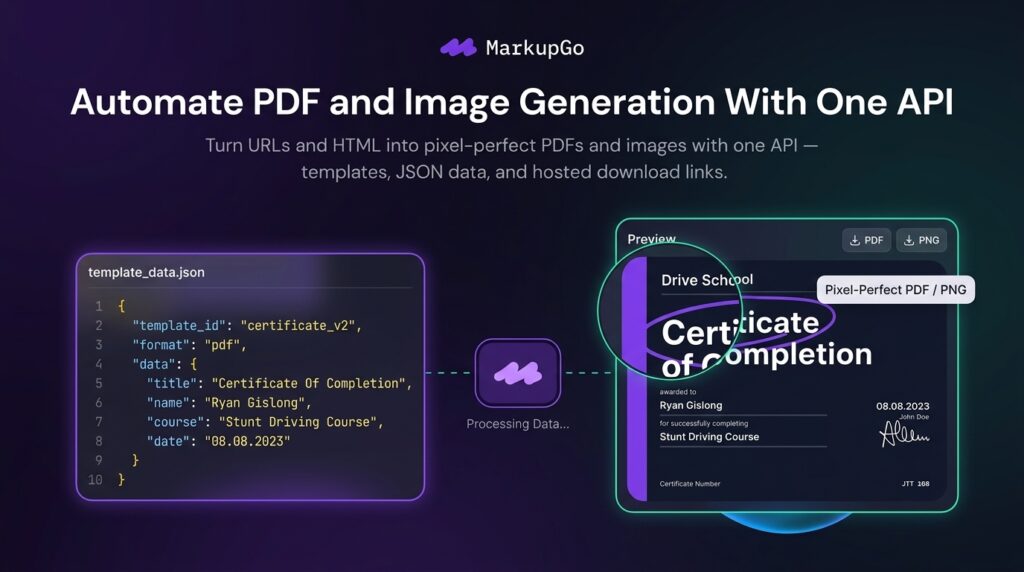
MarkupGo is one API for all of it. You design reusable templates in HTML, CSS, and JavaScript, then generate high-quality PDFs and images from a URL or from HTML, and customize or transform images through the same API. Send JSON data into a saved template and you get a finished document back, hosted on a CDN URL, with activity logs and usage reports to keep track of it all.
The MarkupGo lifetime deal starts at $49 once for lifetime access. It stacks: 1 code is $49, and each additional code adds $49, up to 7 codes at $343. The only difference the pricing table itself shows is the Image Transformation API, which starts at 2 codes — the credit and template numbers come from a founder answer in Q&A, not from the table, and I say so plainly in the pricing section below.
Core Features of MarkupGo Lifetime Deal
Reusable HTML, CSS, and JavaScript Templates
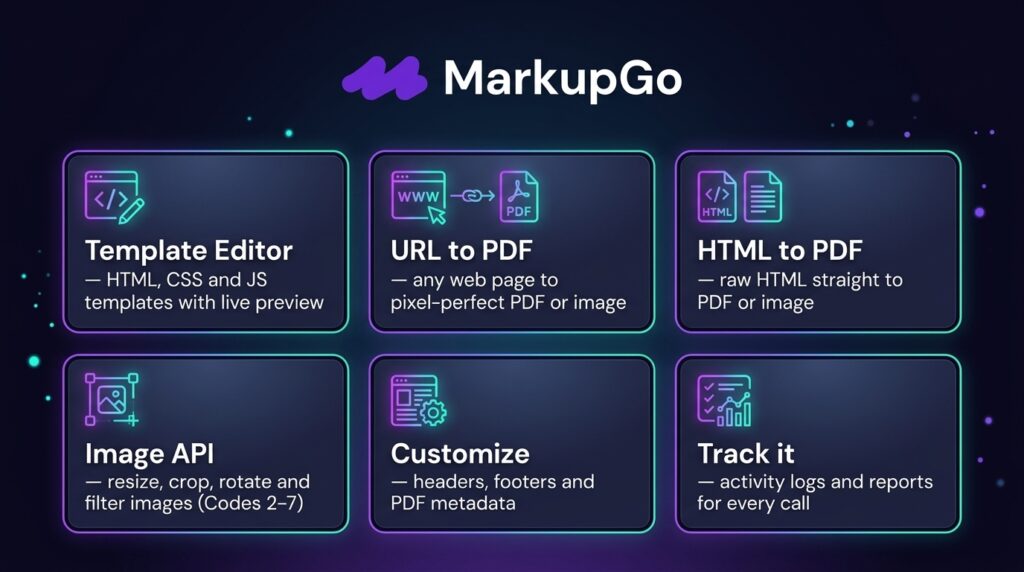
The Template Editor lets me design and manage templates once, then reuse them forever. A template is ordinary HTML, CSS, and JavaScript, so I keep full control over layout instead of fighting a drag-and-drop builder. When the design changes, I change the template, and every document generated from it changes too.
URL to PDF and Image Generation
I can convert a web page with a simple URL. No scraping, no screenshotting by hand, no rebuilding the page in another format. If it renders in a browser, MarkupGo can turn it into a PDF or an image. For me, this is the fastest path from “this page looks right” to “here is the file.”
HTML to PDF and Image Generation
I can also generate directly from HTML content I send to the API. That means my app builds the markup, MarkupGo renders it, and the result comes back pixel-perfect — with support for SVGs, emojis, and custom elements. Long text, multiple pages, and tables are supported, and no hard page-count or text-length limit is stated.
Image Transformation API
From 2 codes up, the Image Transformation API resizes, crops, rotates, and applies filters to images. This is the one feature the pricing table marks as excluded on the first tier, so it matters when you choose your stack. One code buys you PDF and image generation; two codes add transformation to the same API.
Data-Driven Documents With JSON
Saved templates take JSON data through the API, with Handlebars logic like {{#if}} and {{#each}} for conditional and repeating content. I send the data, MarkupGo fills the template, and the finished PDF comes back on a hosted CDN URL. Invoices, reports, and certificates become a data problem, not a layout problem.
Activity Logs, Reports, and Advanced Customization
Every API interaction is logged, so I can track what was generated, when, and how it performed, with usage and performance reports on top. Advanced customization covers custom headers, footers, metadata, and flexible PDF options. For a production pipeline, the logs matter as much as the rendering — they are how I find the one document that failed.
Pros of MarkupGo
- One API for PDF and image: URL and HTML generation, plus image transformation, behind a single integration.
- Templates you actually control: reusable HTML, CSS, and JavaScript instead of a locked-in visual builder.
- Pixel-perfect output: SVG, emoji, and custom-element support, rendered the way it looks in a browser.
- Data-driven by design: JSON plus Handlebars logic turns documents into a data feed.
- Hosted CDN URLs: generated PDFs come back on a hosted URL, ready to share or store.
- Logs and reports included: activity history and usage metrics on every tier.
- Stacks cleanly: 1 to 7 codes at $49 each, so you buy the credit volume you need.
- Strong buyer feedback: 4.8 stars from 37 AppSumo reviews, with 35 of them five-star.
Cons of MarkupGo
- Credit-based with a monthly reset: credits reset every month, and each generation uses credits, so lifetime access does not mean unlimited generation.
- PDF downloads cost 3 credits: a reviewer notes this is not very visible at first, so the real cost per document is higher than “one generation, one credit” suggests.
- No direct PDF editing: you cannot write text onto an existing PDF. The founder confirms this is a technical limitation of the current engine, with direct editing on the roadmap — converting to a bitmap image loses vector quality.
- Image transformation starts at 2 codes: the first tier does not include it, so the $49 entry price buys a narrower API.
- Custom domains are an add-on: they are not included in the lifetime deal by default, one per account, and the add-on price was not readable on the page.
- No MCP connector yet: the founder confirms there is no MCP connector, so AI-assistant-driven workflows are not native.
- Credit and template numbers are not in the pricing table: the figures come only from a founder Q&A answer, so buyers cannot verify them from the table itself.
- “Lite Plan” updates only: the deal terms promise all future Lite Plan updates, not all future updates generally.
- Not covered by We Got Your Back: the listing is partner-managed and unvetted, though it is refundable up to 60 days.
- Embedded HTML issues reported: one reviewer experienced issues with embedded HTML usage.
Who is MarkupGo best for?
- Developers: anyone building PDF or image generation into an app and tired of maintaining a rendering pipeline.
- SaaS teams: products that need invoices, reports, certificates, or exports generated automatically for every customer.
- Web design agencies: agencies producing branded documents and visuals for clients from shared templates.
- Product teams automating documents: teams turning form data or database rows into finished, shareable files.
- Solo builders on a budget: developers who want one API and one payment instead of a monthly rendering bill.
MarkupGo AppSumo Pricing Plan
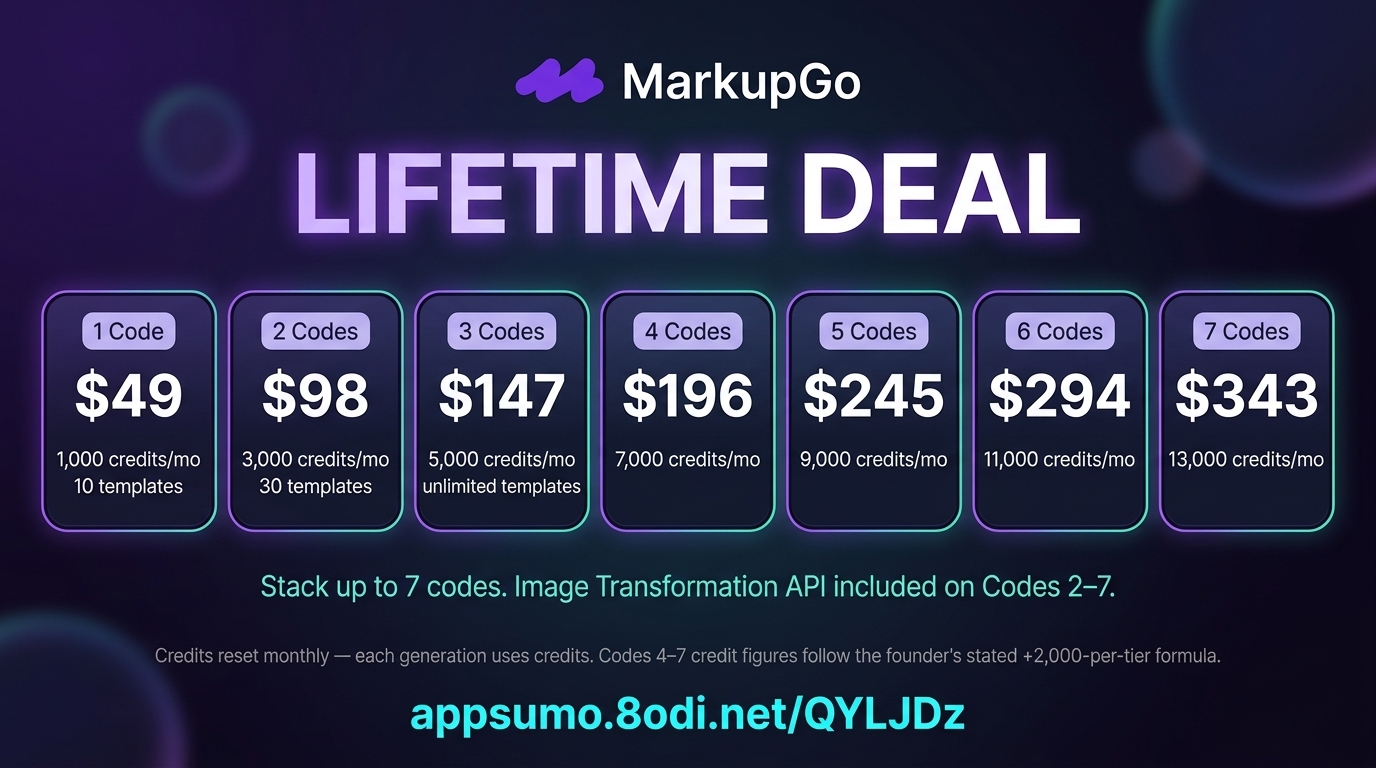
One important honesty note before the tiers. The pricing table shows only checkmarks for credits and templates — no numbers. The credit and template figures below come from a founder answer in Q&A on October 27, 2026, and I attribute them to the founder. The Tier 4–6 credit figures are calculated from the founder’s own formula (+2,000 credits per additional tier, Tier 7: 13,000), and no template limit was stated for Tiers 4–7, so I state none.
1 Code — $49
- One-time payment of $49 (list price $348, 86% off)
- Lifetime access to MarkupGo
- 10 templates and 1,000 credits per month, per the founder’s Q&A answer
- Credits reset every month; each generated PDF or image uses credits
- PDF export
- URL to PDF/image generation
- HTML to PDF/image generation
- Template Editor with reusable HTML, CSS, and JavaScript templates
- Full API access
- Activity logs and usage/performance reports
- Advanced customization: custom headers, footers, metadata, flexible PDF options
- Image Transformation API NOT included
- Redeem code(s) within 60 days of purchase
- All future Lite Plan updates
- Refundable up to 60 days; not covered by the We Got Your Back guarantee
2 Codes — $98
Includes everything in 1 Code, plus:
- One-time payment of $98 (list price $696)
- 30 templates and 3,000 credits per month, per the founder’s Q&A answer
- Image Transformation API: resize, crop, rotate, and apply filters
3 Codes — $147
Includes everything in 2 Codes, plus:
- One-time payment of $147 (list price $1,044)
- Unlimited templates and 5,000 credits per month, per the founder’s Q&A answer
4 Codes — $196
Includes everything in 3 Codes, plus:
- One-time payment of $196 (list price $1,392)
- 7,000 credits per month, calculated from the founder’s formula (+2,000 per additional tier)
- Template limit not stated for this tier in the founder’s answer
5 Codes — $245
Includes everything in 4 Codes, plus:
- One-time payment of $245 (list price $1,740)
- 9,000 credits per month, calculated from the founder’s formula
- Template limit not stated for this tier in the founder’s answer
6 Codes — $294
Includes everything in 5 Codes, plus:
- One-time payment of $294 (list price $2,088)
- 11,000 credits per month, calculated from the founder’s formula
- Template limit not stated for this tier in the founder’s answer
7 Codes — $343
Includes everything in 6 Codes, plus:
- One-time payment of $343 (list price $2,436)
- 13,000 credits per month, per the founder’s Q&A answer
- Template limit not stated for this tier in the founder’s answer
Stack up to 7 codes. Custom domains are not included by default and are available as a paid add-on, one per account. Check the live listing for the MarkupGo lifetime deal before buying, since AppSumo deals can change — and check the founder’s Q&A answer for the current credit and template figures, since the pricing table itself shows only checkmarks.
How to Get an Extra 10% OFF On MarkupGo Lifetime Deal?

- Follow the instructions and get the extra benefit of 10% OFF 😉
- Go to this link AppSumo and get 10% OFF
- You will see a pop-up form comes for unlocking a 10% discount
- Provide your email there and claim your discount
- Note: This is available for first-time purchases only
5 Best MarkupGo Alternatives 2026
If MarkupGo is not the right fit, here are the closest alternatives I know.
MarkupGo vs Bannerbear
Bannerbear is the best-known API for automated image generation, and the named alternative on the AppSumo page. It generates images and video from templates through a REST API, with no-code integrations.
- Starting price: Free trial (30 API credits); Automate $49/month
- Main advantages: mature, well-known API, Zapier, Make, and Airtable integrations, video generation included
- Main limitation: a monthly bill forever, and it is image-first — PDF and video generations cost more credits by complexity
- Difference from MarkupGo: Bannerbear is a monthly image-first API; MarkupGo is a one-time purchase covering PDF, image, and transformation, still credit-metered monthly
MarkupGo vs Placid
Placid is the other named alternative: an image and video generation API, plus no-code integrations, for creating shareable content at scale.
- Starting price: $19/month (500 credits/month)
- Main advantages: low entry price, simple credit model, no-code integrations for non-developers
- Main limitation: image and video focused, with no HTML-to-PDF conversion as a core offer, and monthly billing
- Difference from MarkupGo: Placid generates shareable images and video monthly; MarkupGo adds PDF generation and image transformation for one payment, with monthly credit resets
MarkupGo vs APITemplate.io
APITemplate.io generates social images, banners, and PDFs from reusable templates through a REST API, Zapier, Make, or no-code tools, with visual and HTML template editors.
- Starting price: Free plan (50 images/PDFs a month, 3 templates); PDF-only from $19/month billed annually
- Main advantages: a real free tier, strong PDF focus, visual and HTML template editors, stock images built in
- Main limitation: template caps until Enterprise, where unlimited templates finally arrive, and monthly billing
- Difference from MarkupGo: APITemplate.io rents PDF and image generation monthly with template caps; MarkupGo sells lifetime access with stacking codes, but credits still reset monthly
MarkupGo vs PDFMonkey
PDFMonkey is a PDF generation API built around a simple workflow: write a template once in HTML/CSS with Liquid, send JSON data, and get a PDF back, rendered through Chrome.
- Starting price: Free plan (20 documents a month); Starter €5/month (300 documents)
- Main advantages: very low entry price, clean developer workflow, fillable PDF forms, password protection, and webhooks
- Main limitation: PDF-only — no image generation and no image transformation API — and monthly billing with a quota that resets
- Difference from MarkupGo: PDFMonkey is a focused monthly PDF API; MarkupGo covers PDF and image generation plus transformation in one lifetime deal
MarkupGo vs DocRaptor
DocRaptor is a hosted HTML-to-PDF and HTML-to-Excel API built on the Prince rendering engine, known for advanced paged-media CSS and accessible PDF output.
- Starting price: Free plan (5 documents a month); from $15/month (125 documents)
- Main advantages: print-quality paged-media CSS, accessible PDF/UA output, 99.99% uptime guarantee, SOC 2 Type II and HIPAA compliance
- Main limitation: a pure conversion service — no template editor and no image generation or transformation — and every document costs the same regardless of size
- Difference from MarkupGo: DocRaptor converts HTML you write yourself, monthly; MarkupGo adds a template editor, image generation, and transformation for one payment
Which MarkupGo alternative fits best?
Pick Bannerbear if you want the most mature image API and accept a monthly bill. Pick Placid if you want the cheapest monthly start for shareable images and video. Pick APITemplate.io if you want a real free tier and a strong PDF focus with visual editors. Pick PDFMonkey if PDF-only generation at a very low monthly price is all you need. Pick DocRaptor if print-quality paged-media CSS and compliance matter most. Pick MarkupGo if you want PDF, image, and transformation behind one API for a single payment — and you accept monthly credit resets and no direct PDF editing.
Final Thoughts – MarkupGo Review 2026
What I like most about MarkupGo is how ordinary the workflow feels. Templates in HTML, CSS, and JavaScript, JSON data in, a finished PDF or image out on a hosted URL — that is the shape document automation should have, and having image transformation in the same API instead of a second service is genuinely convenient. The stacking ladder is honest too: $49 a code, up to seven, buy the volume you need.
The honest cautions are the credits and the editing gap. Credits reset monthly, PDF downloads cost 3 credits according to a reviewer, and the credit and template numbers live only in a founder Q&A answer, not in the pricing table. Direct PDF editing is not supported at all, custom domains cost extra, and there is no MCP connector yet. None of that kills the deal — the 4.8-star rating from 37 reviews says buyers are happy — but all of it should shape which tier you buy.
At $49 once, the MarkupGo lifetime deal is easy value for a developer or SaaS team generating documents every day. Start with 2 codes if you need image transformation, read the founder’s credit answer before you stack higher, and let the 60-day refund window cover the test.