Every AI job seems to need a different tool, a different login, and a different subscription. One tab writes, another builds a website, another checks security, and each one bills you separately. Before long you are paying for five tools and only really using two of them.
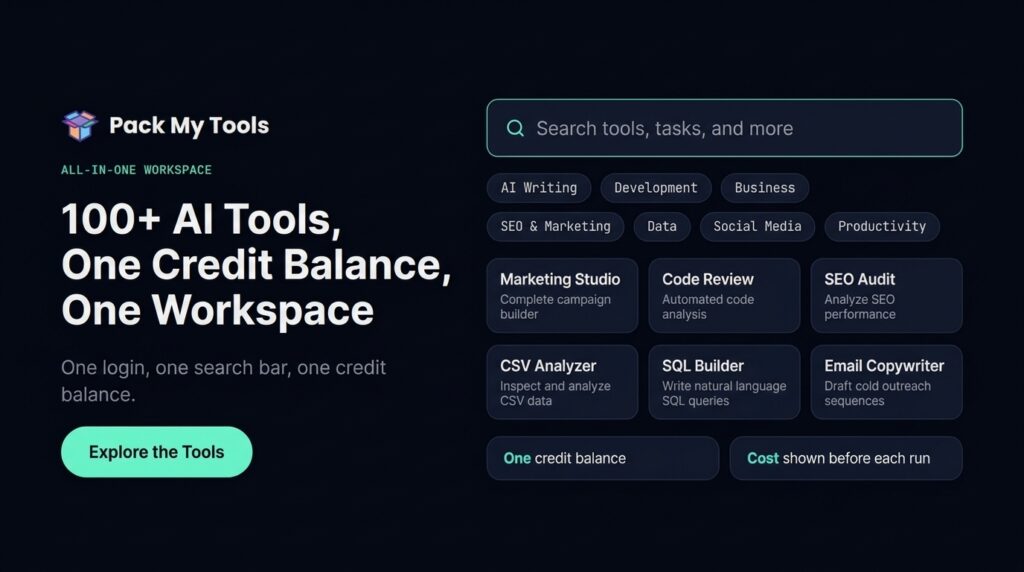
Pack My Tools puts the toolbox in one browser workspace. One login, one search bar, and one shared credit balance cover tools across writing, marketing, social media, business, development, education, SEO, data, design, security, AI agents, document chat, and trading signals. A Smart Prompt Engine expands a rough request into a full brief, the platform routes the work to a model, and the credit cost is shown before each run.
The Pack My Tools lifetime deal is a single plan at $59 once for lifetime access. There is only one tier, and it is described as “one plan, all inclusive.” You can stack up to 10 codes, though the page does not state what stacking adds. It is an AppSumo Radar listing, so it is not covered by the We Got Your Back guarantee.
Core Features of Pack My Tools Lifetime Deal
One Shared Credit Balance
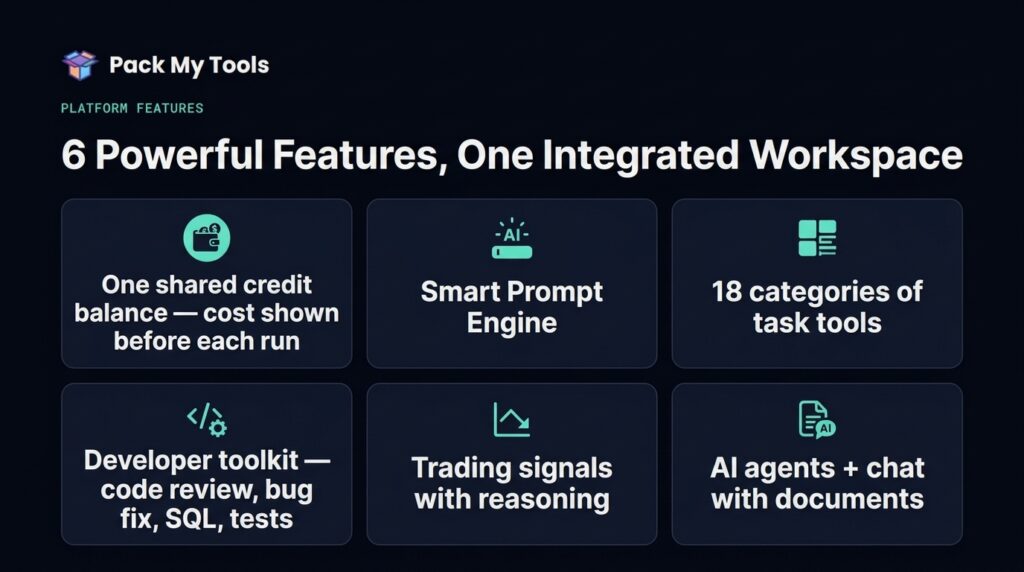
This is the core idea. Instead of a subscription per tool, you spend from one token balance across every tool in the workspace. Most features cost 1 token per run, and heavier tasks cost more — the website builder costs 10 tokens, according to the founder. The cost is shown before each run, so I know what I am spending before I click.
Smart Prompt Engine
I do not have to write a perfect prompt. I type a rough sentence, and the Smart Prompt Engine expands it into a role, task, audience, tone, and format. For me, this is what makes a 100+ tool workspace usable. Without it, I would spend more time prompting than working.
Developer Toolkit
The coding tools run on Claude Opus 5.5, according to the AppSumo FAQ, and cover code generation, code review, bug fixes, SQL building, unit tests, API docs, READMEs, regex, cron building, Docker Compose files, .env templates, gitignore files, and OCR. It is a full bench of small developer jobs in one place, instead of a different site for each one.
AI Agents That Pass Work Between Roles
Research, Writing, Code, and Marketing agents pass work between roles instead of working in isolation. Research can feed writing, writing can feed marketing, and code can pick up where the brief leaves off. This is closer to how a small team works than how a single chatbot works.
Builders, Media Tools, and Document Chat
The workspace also includes a Website Builder, a Pitch Deck builder with .pptx export, a Game Developer, a Translation Hub, AI Chat, and Text to Speech. I can also upload a PDF, DOCX, or TXT file and chat with the document, with answers grounded in citations from the document itself. Everything runs in the browser on desktop, tablet, and mobile, with nothing to install.
Security Suite and Trading Terminal
The Security Suite covers security audits, repo audits, security headers, CSP evaluation, CORS testing, SSL checks, and email and DNS security checks. Separately, the Trading Terminal gives LONG/SHORT signals for crypto, stocks, and forex, with the reasoning shown. Both carry clear caveats: security findings prioritize further investigation and are not a guarantee, and trading signals are analytical outputs, not financial advice.
Pros of Pack My Tools
- One login for 100+ tools: no juggling accounts, tabs, and subscriptions for every small job.
- One shared balance: credits work across every category instead of being locked to one tool.
- Cost shown before each run: I see the token price before I spend it.
- Smart Prompt Engine: rough ideas become structured briefs without prompt-writing skill.
- Real breadth: writing, code, SEO, data, design, security, agents, and trading in one workspace.
- Browser-based: works on desktop, tablet, and mobile with nothing to install.
- Grounded document chat: answers cite the uploaded document instead of guessing from it.
Cons of Pack My Tools
- Token amounts are unclear: the pricing box says 100 tokens upfront plus 100 a month, while a founder answer says 1,000 upfront plus 50 a month. The listing alone does not settle it, and the refill amount has already been questioned by a reviewer.
- The allowance is small for heavy use: even on the pricing-box figures, 100 tokens a month will not stretch far if you run builders and agents often.
- Some tools are Coming Soon: Workflow Builder, Browser Control, and Music Generator are not available yet and must not be counted as included.
- Generators are excluded for now: the founder says photo, video, and music generators are not included yet, though they are planned.
- No API and no automation: there is copy-to-MT5 for trading signals, but no automation is provided.
- Radar risk: this is an early-stage listing AppSumo has not fully vetted, the code has not been reviewed, and AI skills are non-refundable once redeemed.
- Advice caveats apply: legal tools give drafts, not professional advice, and trading and security outputs are not guarantees.
- No BYOK or custom MCPs yet: both are on the roadmap only, not available now.
- Thin review base: only 2 AppSumo reviews, both 5-star, so there is little buyer history to lean on.
Who is Pack My Tools best for?
- Developers: coders who want code generation, review, SQL, tests, and docs in one bench without a separate tool for each.
- Marketers: teams running writing, SEO, social, and sales copy from one balance instead of four subscriptions.
- Small businesses: owners who need a bit of everything — a website, a pitch deck, a security check — and cannot justify a tool for each job.
- Content creators and educators: writers and teachers who need drafts, translation, documents, and media tools in one place.
- Traders and analysts: people who want signals, data tools, and document chat alongside their everyday AI work, with the caveat that signals are not advice.
Pack My Tools AppSumo Pricing Plan
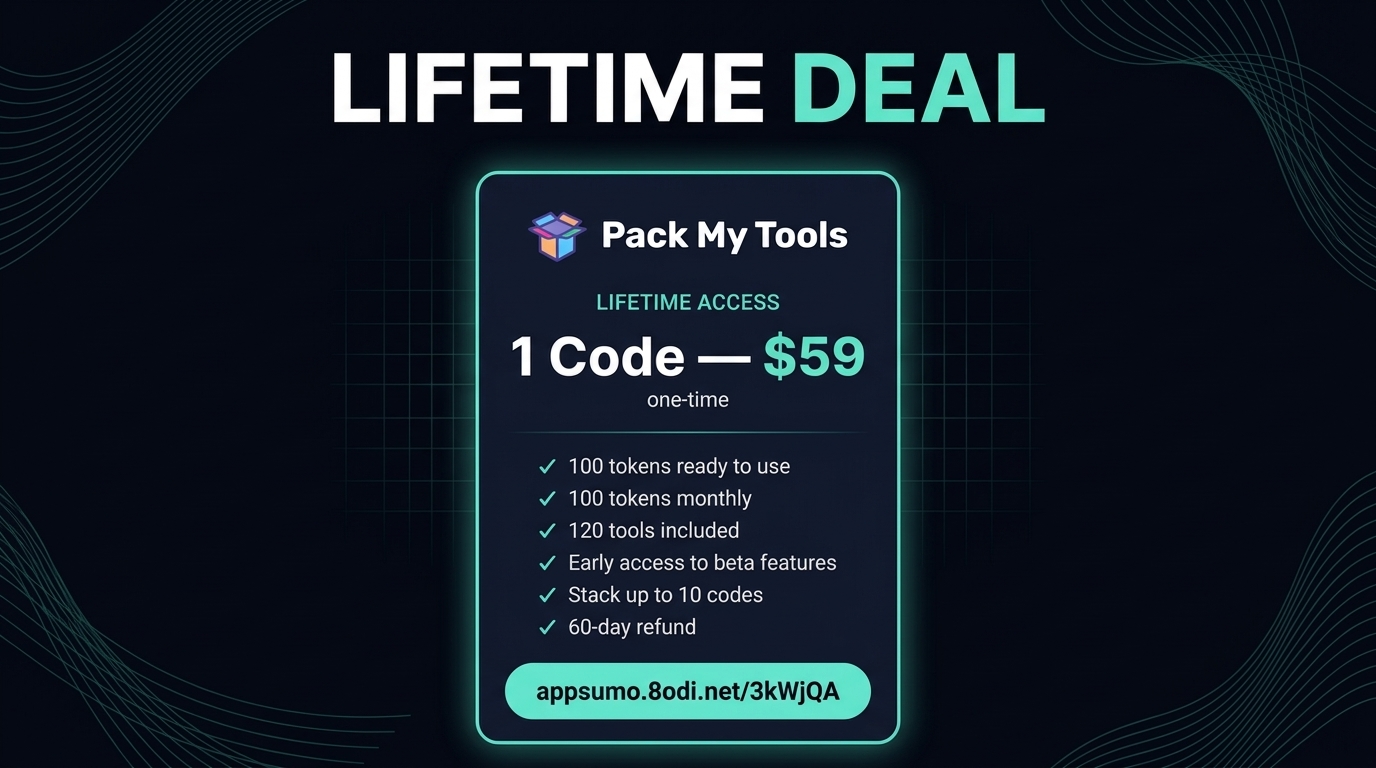
There is only one tier. The pricing box is the authoritative source for what it includes, and I have used its figures here: 100 tokens ready to use and 100 tokens monthly. A founder answer elsewhere gives different numbers (1,000 upfront, 50 monthly), and that conflict is unresolved — I am not presenting the founder’s numbers as the deal terms.
1 Code — $59
- One-time payment of $59 (list price $299, 80% off)
- Lifetime access to Pack My Tools
- 100 tokens ready to use
- 100 tokens monthly for the lifetime of the plan
- 120 tools included
- Early access to beta features
- All future plan updates
- Redeem code(s) within 60 days of purchase
- Stack up to 10 codes (the page does not state what stacking adds — do not assume extra tokens or users)
- Refundable up to 60 days; AI skills are non-refundable once redeemed
- Not covered by the We Got Your Back guarantee (AppSumo Radar listing)
Check the live listing for the Pack My Tools lifetime deal before buying, since AppSumo deals can change — and check the token figures on the pricing box itself, given the conflicting founder answer noted above.
How to Get an Extra 10% OFF On Pack My Tools Lifetime Deal?

- Follow the instructions and get the extra benefit of 10% OFF 😉
- Go to this link AppSumo and get 10% OFF
- You will see a pop-up form comes for unlocking a 10% discount
- Provide your email there and claim your discount
- Note: This is available for first-time purchases only
5 Best Pack My Tools Alternatives 2026
If Pack My Tools is not the right fit, here are the closest alternatives I know.
Pack My Tools vs Canva
Canva is a design platform with templates, a stock library, and AI design tools, used to make graphics, presentations, and social posts quickly.
- Starting price: Free plan; Pro $18/month or $144/year
- Main advantages: huge template and stock library, polished design output, easy for non-designers
- Main limitation: design only — no coding, trading signals, security audits, or multi-tool automations
- Difference from Pack My Tools: Canva makes graphics; Pack My Tools runs task tools across writing, code, data, and trading from one credit balance
Pack My Tools vs Claude Code
Claude Code is Anthropic’s terminal-first AI coding agent, bundled with Claude plans, that works with a full codebase in context.
- Starting price: Pro $20/month (Max from $100/month)
- Main advantages: deep agentic coding in the terminal, full codebase in context, strong for real development work
- Main limitation: coding only — one tool, not 100+ tools across categories, and usage limits are shared with chat
- Difference from Pack My Tools: Claude Code is a single expert coder; Pack My Tools is a whole toolbox with a shared balance
Pack My Tools vs Elementor
Elementor is a WordPress page builder with Pro widgets, a Theme Builder, and a WooCommerce builder, backed by a large template library.
- Starting price: Free plugin; Essential $60/year for 1 site
- Main advantages: mature WordPress ecosystem, theme and popup builders, huge template library
- Main limitation: WordPress sites only, with no AI tool bundle and no trading, security, or developer tooling
- Difference from Pack My Tools: Elementor builds WordPress pages; Pack My Tools covers many jobs in one browser workspace
Pack My Tools vs ChatGPT
ChatGPT is OpenAI’s general AI assistant with chat, voice, image generation, deep research, and Codex, plus custom GPTs.
- Starting price: Free plan; Plus $20/month
- Main advantages: one strong general assistant, broad model access, custom GPTs for repeat tasks
- Main limitation: one chat interface — no 100+ task-specific tools, no security suite, no trading terminal, no shared cross-tool workflows
- Difference from Pack My Tools: ChatGPT is one assistant you prompt; Pack My Tools is many purpose-built tools sharing one balance
Pack My Tools vs Notion
Notion is a docs, wikis, and databases workspace for organizing work, with AI features on its higher tiers and strong team collaboration.
- Starting price: Free plan; Plus $10/user/month billed annually ($12 monthly)
- Main advantages: excellent organization, docs and databases, strong team collaboration
- Main limitation: full AI (Agent, meeting notes) sits on the $20 Business tier, Plus gets only a trial of AI, and Notion does not run code, security, or trading tools
- Difference from Pack My Tools: Notion organizes work; Pack My Tools executes tasks across tools
Which Pack My Tools alternative fits best?
Pick Canva if design output is the whole job. Pick Claude Code if you live in the terminal and coding is the job. Pick Elementor if everything you build is a WordPress site. Pick ChatGPT if you want one strong general assistant and nothing else. Pick Notion if organizing docs, wikis, and team knowledge is the priority. Pick Pack My Tools if you want many small task tools — writing, code, security, data, trading — under one login and one balance, and you accept the token cap and the early-stage Radar risk.
Final Thoughts – Pack My Tools Review 2026
What I like most about Pack My Tools is the premise. One login, one search bar, and one balance for the dozens of small AI jobs that otherwise each want their own subscription is genuinely useful, and the Smart Prompt Engine lowers the skill floor for all of it. The developer bench and the security suite give it more depth than a bundle of writing prompts.
The honest cautions are the token question and the early-stage status. The pricing box and the founder disagree on how many tokens you actually get, the monthly refill has already been questioned, and several tools are still Coming Soon or excluded for now. That is normal for a Radar deal, but it means you should buy it for what the pricing box promises today, not for the roadmap.
At $59 once, the Pack My Tools lifetime deal is cheap enough to try for the breadth alone. Just check the live pricing box for the token figures before you buy, and treat the 60-day refund window as your trial.