

Lead generation eats hours. You open LinkedIn, copy profile URLs one by one, flip between tabs, and rerun the same searches by hand. A list that should take an afternoon takes a week.
TexAu fixes that with ready-made automations. It is a desktop app with 150+ pre-built automations for LinkedIn, Sales Navigator, Google Maps, X, Slack, YouTube, and more. I pick an automation, paste a link or upload a CSV, and it scrapes the leads or sends the outreach for me. Everything runs locally on my own computer, in my own browser, so my data never leaves my machine.
The TexAu lifetime deal starts at $69 once for lifetime access. Higher tiers add more runtime hours, more concurrent runs, and installs on more machines. Every tier gets the full automation library and unlimited connected accounts.

Core Features of TexAu Lifetime Deal
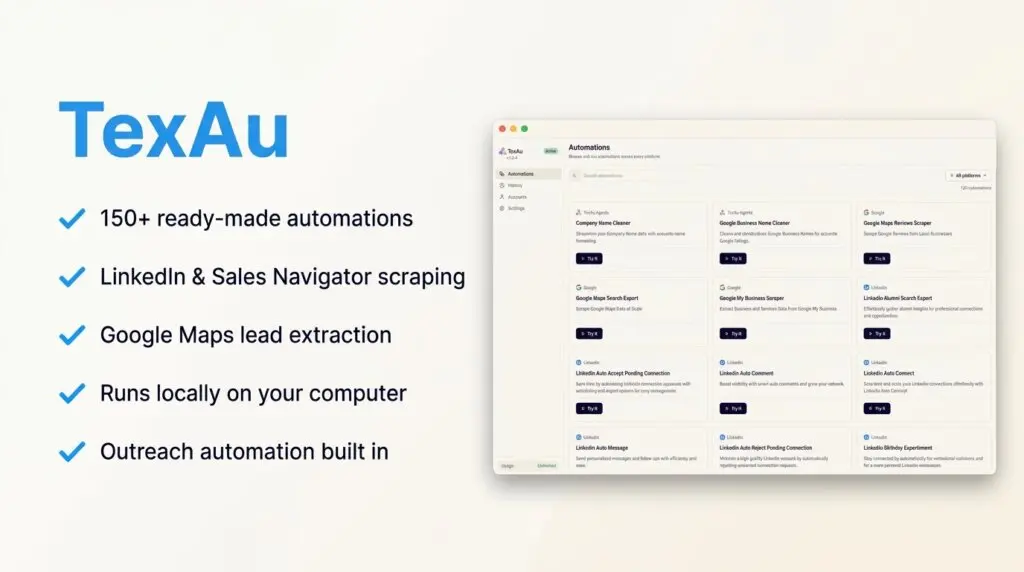
150+ Ready-to-Run Automations
TexAu skips the workflow building. I browse the library, filter by platform, and run an automation as it is. The library covers LinkedIn (including Sales Navigator and Recruiter Lite), Google Maps, X, Slack, YouTube, Google, and regular websites. For outreach, data extraction, or business research, there is a pre-built option ready to go.
Lead Scraping From LinkedIn and Google Maps
This is the core job. I can pull employee data from any LinkedIn company page to build targeted contact lists. I can also scrape Google Maps and Google My Business listings by location or business type, which is perfect for local lead generation. I paste a single input or import a CSV, and the automation runs across every row at once.
LinkedIn Outreach Automation
TexAu does not stop at scraping. It automates LinkedIn connection requests, messages, and comments, so I do not send them one by one. For me, this closes the loop: build the list and start the conversation in the same app.
100% Local Execution
Every automation runs on my own computer, in my own default browser. TexAu connects my browser sessions through its Chrome extension, with no API credentials required. My data never goes to TexAu’s servers. Because platforms see my real local IP instead of a data center IP, my accounts stay safer than with cloud scrapers.
Unlimited Accounts With Proxy Support
The license does not limit how many accounts I connect. Each account can get its own proxy, which is ideal if I run outreach for several clients. Every account runs one automation at a time, and jobs pause when an account hits its safety limit, then resume where they stopped.
Clear Run Results and CSV Export
After a run, I see exactly which rows succeeded, failed, or were skipped. Results export as a clean CSV that drops into my CRM or spreadsheet. I can also rerun any past automation straight from my history, and built-in cleaning automations fix messy company and business names before I use the list.
Pros of TexAu
- No workflow building: 150+ automations are ready to run — pick one, add input, done.
- Runs 100% locally: my data stays on my computer, and platforms see my real IP, not a data center.
- Scraping plus outreach: lead extraction and LinkedIn connection requests, messages, and comments in one app.
- Unlimited accounts: connect as many client accounts as I want, each with its own proxy.
- Full library on every tier: all 150+ automations and all future desktop features are included from Tier 1.
- No per-seat pricing: one key per machine, so my cost stays flat as I add clients.
- Covered by AppSumo’s guarantee: the deal carries the “We Got Your Back” guarantee plus a 60-day money-back window.
Cons of TexAu
- Runtime caps on lower tiers: Tier 1 gives 50 hours per month and a single concurrent run, so heavy users need Tier 3 or 4.
- Desktop must stay on: automations run on my machine, so big jobs need my computer (or a spare machine) left running.
- No API and no cloud version: this deal is TexAu Desktop only — no public API, no TexAu V3 cloud access included.
- Early review count: the AppSumo rating is 5.0, but from only 1 review so far, so social proof is thin.
- MCP is not here yet: the MCP integration is announced as coming soon, not included today.
- Proxy bandwidth costs extra: the optional Proxi add-on is $49 per 10 GB unit if I do not bring my own proxies.
Who is TexAu best for?
- Agencies: run lead scraping and outreach for many clients from one app, each client on their own account and proxy.
- Solopreneurs: build prospect lists and send LinkedIn outreach without hiring a VA.
- Sales managers: pull targeted lists from LinkedIn company pages and Sales Navigator searches, then export to the CRM.
- Freelancers: pay once and deliver bigger client lists without a growing software bill.
- Local lead generators: scrape Google Maps listings by city and business type for local outreach campaigns.
- Recruiters: use Recruiter Lite and Sales Navigator automations to build candidate and client lists.
TexAu AppSumo Pricing Plan
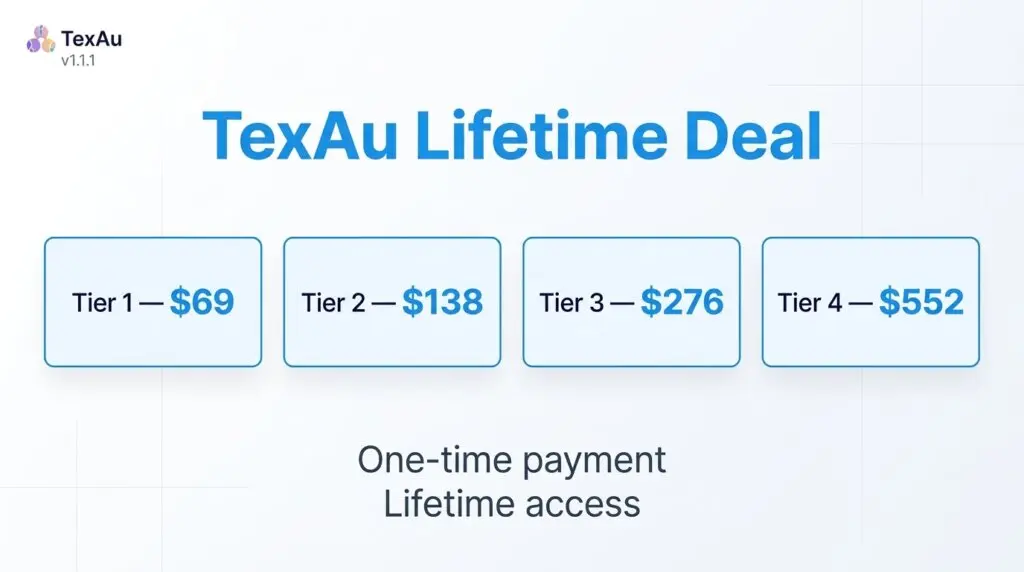
License Tier 1 — $69
- One-time payment of $69 (list price $199)
- Lifetime access to TexAu Desktop
- 1 machine (1 license key)
- 1 concurrent run
- 50 hours of runtime per month
- Full library of 150+ automations
- Unlimited connected accounts
- Add and maintain proxies feature
- Closed community on Discord
- All future desktop app updates and all new desktop features
- Optional add-on: Proxi bandwidth, $49 per 10 GB unit (up to 5 units), one-time
License Tier 2 — $138
Includes everything in License Tier 1, plus:
- One-time payment of $138 (list price $499)
- 3 concurrent runs
- 300 hours of runtime per month
- Run multiple automations at the same time
License Tier 3 — $276
Includes everything in License Tier 2, plus:
- One-time payment of $276 (list price $799)
- 3 machines (3 license keys)
- 6 concurrent runs
- 750 hours of runtime per month
- Install TexAu on multiple machines
License Tier 4 — $552
Includes everything in License Tier 3, plus:
- One-time payment of $552 (list price $1,249)
- 5 machines (5 license keys)
- 12 concurrent runs
- Unlimited runtime hours
Tier prices are exact multiples of Tier 1, so codes stack to move up. For comparison, TexAu’s own site sells the desktop app at $1,999 once. Check the live listing for the TexAu lifetime deal before buying, since AppSumo deals can change.
How to Get an Extra 10% OFF On TexAu Lifetime Deal?

- Follow the instructions and get the extra benefit of 10% OFF 😉
- Go to this link AppSumo and get 10% OFF
- You will see a pop-up form comes for unlocking a 10% discount
- Provide your email there and claim your discount
- Note: This is available for first-time purchases only
5 Best TexAu Alternatives 2026
If TexAu is not the right fit, here are the closest alternatives I know.
TexAu vs PhantomBuster
PhantomBuster is the best-known cloud automation platform, with pre-built “Phantoms” for LinkedIn, Sales Navigator, X, Instagram, and Google Maps.
- Starting price: Start plan $69/month ($56/month billed annually)
- Main advantages: runs in the cloud on schedules, huge Phantom library, chains automations into workflows
- Main limitation: only 20 execution hours and 5 slots on the entry plan, and cloud runs use data center IPs
- Difference from TexAu: PhantomBuster is a monthly cloud subscription metered by execution time; TexAu runs locally on your own machine for one payment
TexAu vs Apify
Apify is a cloud scraping platform with a huge store of ready-made scrapers called Actors, covering almost any website.
- Starting price: Free plan with $5 of monthly usage; Starter $29/month
- Main advantages: thousands of community scrapers, strong API, pay only for the compute you use
- Main limitation: usage-based billing is hard to predict, and LinkedIn work depends on third-party Actors of mixed quality
- Difference from TexAu: Apify is a general developer-friendly scraping platform; TexAu is a focused desktop app for lead gen and outreach with no setup
TexAu vs Evaboot
Evaboot is a specialist tool that exports Sales Navigator searches into clean, email-enriched CSV files.
- Starting price: $9/month for 100 credits
- Main advantages: excellent data cleaning, built-in email finder and verifier, credits roll over
- Main limitation: scraping only — no outreach automation — and it cannot work without a Sales Navigator subscription
- Difference from TexAu: Evaboot does one job (Sales Navigator exports) very well; TexAu covers many platforms and also sends the outreach
TexAu vs Bardeen
Bardeen is a browser-based automation tool that builds workflows and scrapers from plain-language prompts.
- Starting price: Free plan with 100 credits/month; Basic $10/month; Premium $50/month
- Main advantages: AI-built playbooks, strong app integrations, very low entry price
- Main limitation: the credit model burns fast — scraping plus enrichment costs several credits per lead
- Difference from TexAu: Bardeen is a general workflow builder charged per action; TexAu ships finished lead gen automations with flat runtime hours
TexAu vs Hunter.io
Hunter is a dedicated email finder and verifier — AppSumo itself lists it as a TexAu alternative. It finds professional email addresses by domain or name and verifies them.
- Starting price: Free plan with 50 credits/month; Starter $49/month
- Main advantages: fast, accurate email finding and verification with a simple interface
- Main limitation: emails only — no scraping, no LinkedIn automation, no outreach beyond basic campaigns
- Difference from TexAu: Hunter answers “what is their email?”; TexAu builds the whole list and runs the outreach
Which TexAu alternative fits best?
Pick PhantomBuster if you want scheduled cloud automation and do not mind a monthly bill. Pick Apify if you are technical and need scrapers for unusual websites. Pick Evaboot if all you do is export Sales Navigator searches with emails. Pick Bardeen if you want cheap, flexible browser workflows across many apps. Pick Hunter.io if you only need to find and verify email addresses. Pick TexAu if you want lead scraping plus LinkedIn outreach running locally, for one lifetime payment.
Final Thoughts – TexAu Review 2026
What I like most about TexAu is the local model. Cloud scrapers rent me my own workflow back every month and run it from IP addresses platforms distrust. TexAu runs on my machine, in my browser, and the data stays mine.
The features that matter are the 150+ ready-to-run automations, the mix of LinkedIn and Google Maps scraping with outreach in the same app, and unlimited accounts with proxy support for client work. The runtime caps are the one thing to check: light users are fine on Tier 1, but daily prospecting belongs on Tier 3 or 4.
At $69 once — against $1,999 on TexAu’s own site — the TexAu lifetime deal is strong value for anyone who builds lead lists every week. The 60-day money-back guarantee makes it easy to test on a real campaign first.