

PDFs are everywhere, but editing them is still a pain. Most free readers let you look, not touch. And the big-name editor wants $19.99 from you every single month, forever.
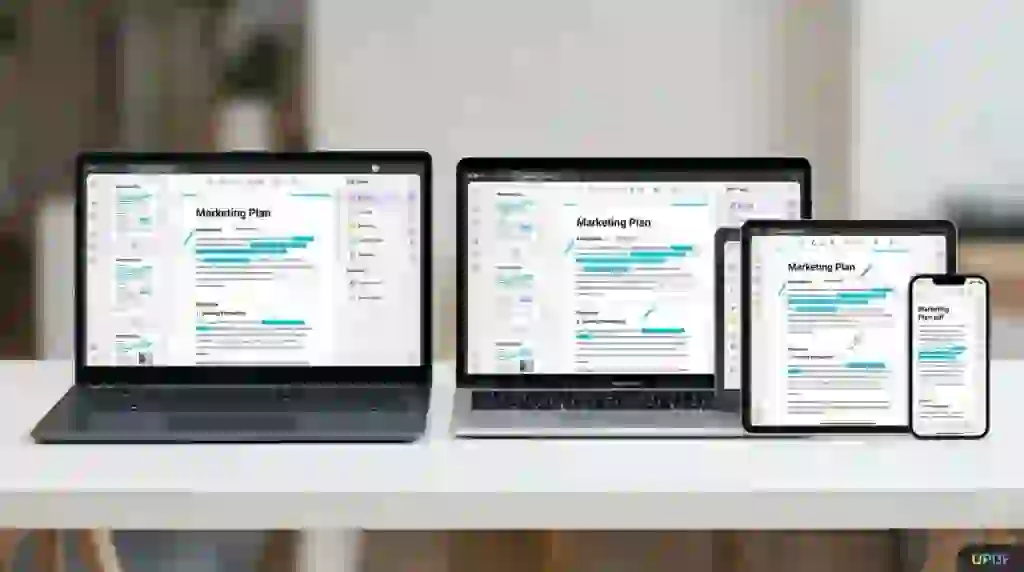
UPDF is a full PDF editor that runs on Windows, Mac, iOS, and Android. You can edit text and images directly in a PDF, convert PDFs to Word or Excel without losing formatting, run OCR on scanned pages, annotate, organize pages, and protect files with passwords. One account covers up to 4 devices at the same time.
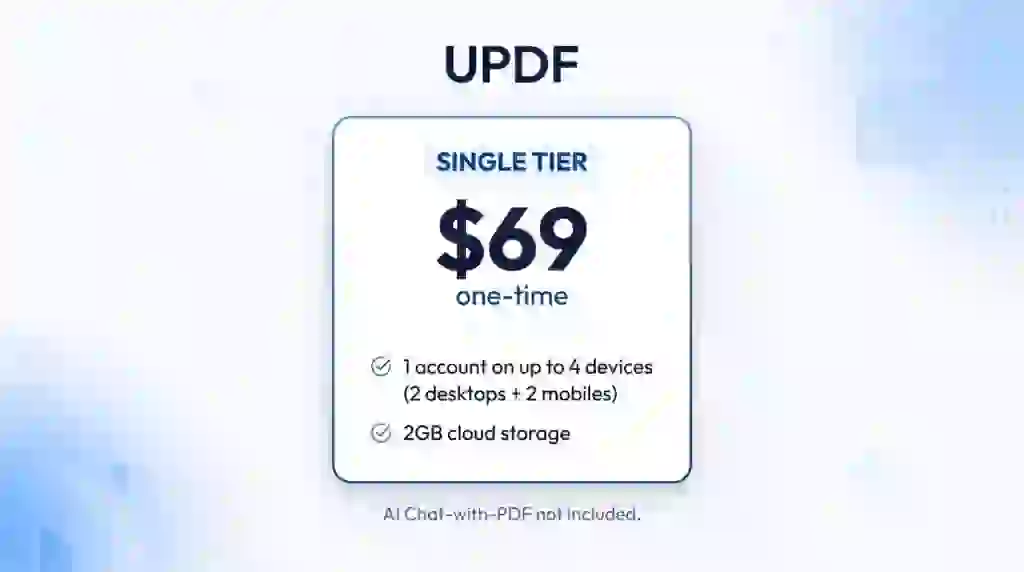
The AppSumo lifetime deal is simple: one tier at $69 one-time for lifetime access. No subscription, no stacking codes, and a 60-day money-back guarantee if it is not for you.
Core Features of UPDF Lifetime Deal
Edit Any Element in a PDF
You can add or delete text and change its font, color, and size right inside the document. Images can be added, cropped, rotated, replaced, extracted, or deleted. You can also edit links, watermarks, headers, footers, and backgrounds, and crop pages to the size you need. For me, this is the real test of a PDF editor, and UPDF passes it.
Convert PDFs Without Losing Formatting
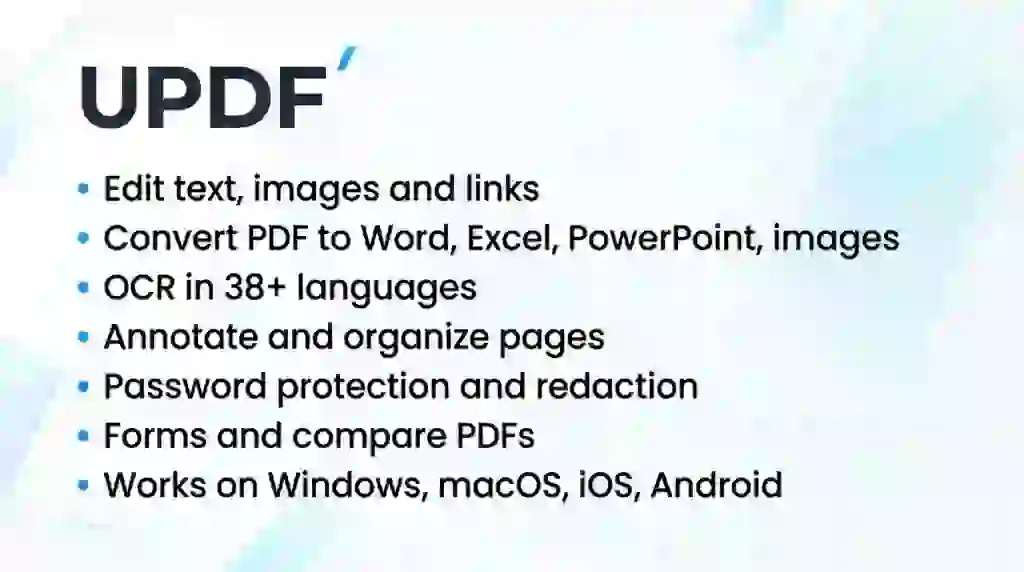
UPDF converts any PDF to Word, Excel, PowerPoint, images, HTML, text, CSV, XML, or PDF/A. You can convert the whole file or just a page range. The formatting stays intact, which is exactly where cheap converters usually fall apart.
OCR for Scanned Documents
If you work with scanned PDFs, OCR turns them into searchable and editable text. The AI-powered OCR on Windows and Mac recognizes over 38 languages. One honest catch: OCR is not available on the Mac App Store version or on Intel-chip Macs.
Annotate and Mark Up
You get highlights, strikethrough, underline, squiggly lines, pencil writing, shapes, stamps, stickers, and signatures. There are even measuring tools for distance, perimeter, and area. All annotations collect in one list you can export as a PDF.
Organize PDF Pages
Pages can be inserted, replaced, extracted, split, rotated, deleted, or reordered with a few clicks. If you regularly merge reports or pull pages out of long documents, this saves real time.
Protect, Sign, and Fill Forms
You can lock PDFs with open and permission passwords, redact sensitive information, and add watermarks. UPDF also creates interactive forms with text fields, checkboxes, dropdowns, and signature fields, and you can fill them and add digital signatures. You can even compare two PDFs to spot the differences.
Pros of UPDF
- One purchase, four platforms: Windows, Mac, iOS, and Android are all covered, with one account working on up to 4 devices at once.
- True one-time price: $69 once beats $19.99 a month for Acrobat Pro if you use it longer than four months.
- Real editing, not just annotating: text, images, links, and page structure are all editable, on desktop and mobile.
- Strong OCR: 38+ languages recognized, which covers most scanned-document workflows.
- 60-day money-back guarantee: two full months to decide, which is generous for a lifetime deal.
Cons of UPDF
- AI Assistant not included: the chat-with-PDF, summarize, and mind-map AI features are sold separately and are not part of this deal.
- OCR gaps on Mac: no OCR on the Mac App Store version or on Intel-chip Macs.
- 4-device limit: one account works on 2 desktops + 2 mobiles simultaneously, so large teams need more codes.
- Not stackable: this deal cannot be stacked, and it is the Individual plan, not Enterprise.
- Only 2GB cloud storage: the lifetime UPDF Cloud storage is small if you work with large files.
Who is UPDF best for?
- Freelancers: edit client contracts and proposals without paying a monthly fee.
- Students and researchers: annotate papers and convert PDFs to Word for quoting.
- Small business owners: create invoices, fill forms, and sign documents digitally.
- Remote workers: review and sign PDFs from a phone or tablet on the go.
- Anyone leaving Adobe: if the Acrobat subscription annoys you, this is the cleanest exit.
UPDF AppSumo Pricing Plan
License Tier 1 — $69 one-time
- Lifetime access to UPDF (Individual plan)
- Use on up to 4 devices simultaneously (2 desktops + 2 mobiles)
- Edit, annotate, convert, OCR, organize, protect, and compare PDFs
- Lifetime 2GB UPDF Cloud Storage
- All future UPDF plan updates
- Redeem your code within 60 days of purchase
- 60-day money-back guarantee
How to Get an Extra 10% OFF On UPDF Lifetime Deal?

- Follow the instructions and get the extra benefit of 10% OFF 😉
- Go to this link AppSumo and get 10% OFF
- You will see a pop-up form comes for unlocking a 10% discount
- Provide your email there and claim your discount
- Note: This is available for first-time purchases only
5 Best UPDF Alternatives 2026
If UPDF is not the right fit, these are the PDF editors most people compare it against.
UPDF vs Adobe Acrobat Pro
Adobe Acrobat Pro is the original PDF editor and still the benchmark for the category, with the deepest feature set and best integration.
- Starting price: $19.99/month (annual plan)
- Main advantages: most complete feature set, trusted brand, strong e-sign and cloud workflows
- Main limitation: subscription-only pricing that never ends
- Difference from UPDF: Acrobat costs more in under four months than UPDF costs for life
UPDF vs Foxit PDF Editor
Foxit PDF Editor is the most popular business alternative to Acrobat, with a full desktop editor plus web and mobile apps.
- Starting price: $10.99/month or $129.99/year
- Main advantages: polished business features, eSign options, perpetual license available
- Main limitation: still a subscription for most plans, and AI features cost extra
- Difference from UPDF: Foxit targets teams and enterprises; UPDF is simpler and cheaper for individuals
UPDF vs Wondershare PDFelement
PDFelement is the closest direct rival to UPDF, with editing, OCR, conversion, and AI features in a friendly interface.
- Starting price: $79.99/year or $129.99 one-time
- Main advantages: fast batch processing, perpetual license option, familiar interface
- Main limitation: AI features need separate credits, and major upgrades can require repurchase
- Difference from UPDF: similar one-time pricing, but UPDF covers mobile better and its AppSumo deal is cheaper
UPDF vs Nitro PDF Pro
Nitro PDF Pro is a Windows-first editor with a Microsoft Office-style ribbon interface that many office workers find familiar.
- Starting price: $179.99 one-time per user
- Main advantages: one-time license, deep Office integration, strong conversion engine
- Main limitation: Windows-focused, weaker mobile story than UPDF
- Difference from UPDF: Nitro costs more than twice as much for a desktop-only experience
UPDF vs PDF-XChange Editor
PDF-XChange Editor is a lightweight Windows PDF editor popular with budget-conscious users.
- Starting price: from $46.50 one-time
- Main advantages: very affordable, fast and lightweight
- Main limitation: Windows only, fewer advanced features like AI and mobile sync
- Difference from UPDF: cheaper, but you lose Mac, mobile, and the modern feature set
Which UPDF alternative fits best?
Pick Adobe Acrobat Pro if you need the industry standard and your work pays for it. Pick Foxit if you are buying for a team. Pick PDFelement if you want the closest UPDF rival with a perpetual license. Pick Nitro if you live in Windows and Office. Pick PDF-XChange if budget is everything. For everyone else who wants one purchase across all devices, the UPDF lifetime deal is hard to beat.
Final Thoughts – UPDF Review 2026
What I like most about UPDF is that it treats PDF editing as a solved problem on every device. I can fix a typo in a contract on my laptop, sign a form on my phone, and convert a report to Word without thinking about which app does what.
The controls that matter are all here: real text and image editing, reliable conversion, OCR in 38+ languages, and password protection. The two honest gaps are the missing AI Assistant and the OCR limits on some Mac versions, so check those against your setup before buying.
At $69 one-time with a 60-day money-back guarantee, this UPDF lifetime deal pays for itself in under four months against Acrobat’s subscription. That is the whole review in one line.