

If you are a coach, your week is probably a patchwork. One app for scheduling. Another for invoicing. PDFs scattered across Google Drive for your actual session tools. And Zoom links everywhere.
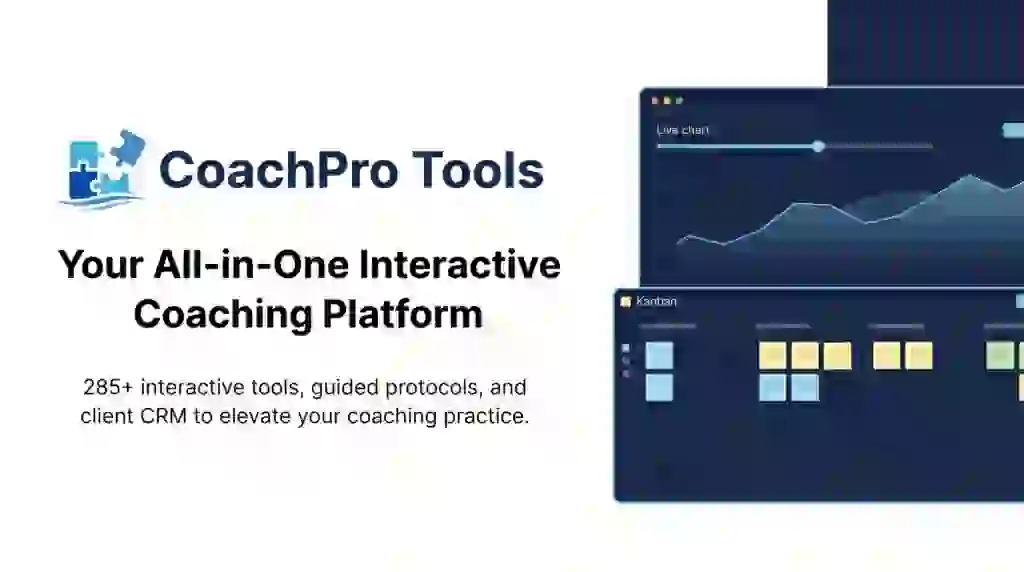
CoachPro Tools is trying to end that. It is one platform that holds your interactive coaching tools, your client records, your scheduling, your bookings, your session notes, and even your invoicing — everything in the browser.
The AppSumo lifetime deal is refreshingly simple: one tier (“1 Code”) at $49 one-time, with lifetime access and a 60-day money-back guarantee. (One small note: the page’s sticky buy box shows a struck-through $297 “value” next to the price. That is just a reference value, not the deal price. You pay $49.) This CoachPro Tools review walks through what it actually does, what it does not, and whether the deal makes sense for you.
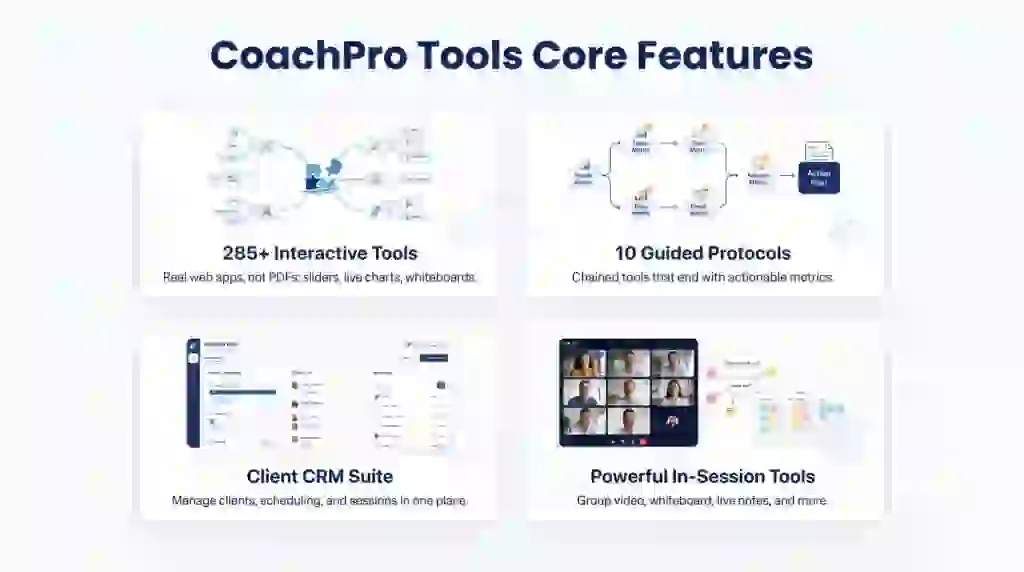
Core Features of CoachPro Tools Lifetime Deal
251 Interactive Tools Across 15 Categories
The heart of the platform is its tool library: 251 tools grouped into 15 categories like Financial Coaching, Beliefs and Mindset, Emotional Management, Goals and Planning, and Communication and Boundaries. I checked the obvious question first — are these just PDFs? No. They are real web applications: sliders that move, charts that update in real time, forms that validate, mind maps you draw, whiteboards you write on.
10 Guided Protocols for Full Sessions
This is the feature I would actually use first. There are 10 protocols — Breakthrough, Burnout, Executive Leadership, Purpose, and others — and each one chains 5 tools together in a fixed sequence. You and your client work through it step by step, and nobody moves on until each step is complete. At the end you both see the full feedback: metrics, charts, the reasoning behind each result, and an action plan. It saves straight into the client’s record.
Client CRM and Workspace
Beyond the tools, it is a working practice-management system: a Today view, client profiles, a schedule, and bookings. Nothing to install, nothing to learn — the founder says a session that takes 20 minutes to prepare today takes 2 tomorrow. I am skeptical of that exact number, but the idea is that everything lives in one place so you stop context-switching.
In-Session Tools That Save You Tabs
When you are with a client, you get a group video call room for up to 9 clients at once (browser-based, with chat, screen sharing, raise hand and reactions), a coaching whiteboard, live session notes, a session kanban, a mind map, quick capture, and screen recording. When the call ends, notes and attendance are saved into each attending client’s file automatically. Your client downloads nothing and learns nothing — they just watch your screen.
Client “Space” Portal
Every client gets a short link with their name on it — their own little portal. You can set when it expires, revoke it, or require an email code for extra security. Inside, they see their upcoming appointments (in their local time zone) and everything you have worked on together, session by session. You can even give access to someone else, like a coach’s assistant, with only the sections you choose visible.
Invoicing Built In
A small but practical one: you can issue invoices and receipts with your own numbering series, track issued vs collected vs outstanding totals, and download everything for your accountant. The screenshots show multi-currency support (EUR and MXN visible). For a solo coach this replaces yet another app.
Pros of CoachPro Tools
- 251 real interactive tools: not PDFs — sliders, live charts, forms, mind maps, and whiteboards you actually use in sessions.
- Guided protocols: 10 ready session flows that chain tools together and output metrics plus an action plan.
- One workspace for the whole practice: CRM, scheduling, bookings, session tools, invoicing — all in the browser.
- Clients need zero setup: no signup, no install, no learning curve on their side.
- Full data export: client profiles, notes, files, and templates are yours; no penalties if you leave.
- Designed by a working coach: built by Ariel Díaz, 28 years in the field — not a startup guessing at what coaches do.
- Organization tools: climate measurement for companies, with anonymous grouped reporting and 19 ready instruments including a 360.
- Cheap one-time price: $49 one-time for lifetime access — that math pays for itself in under two months against $20–$97/month subscription rivals.
Cons of CoachPro Tools
- White label is NOT included: the deal ships under the CoachPro Tools brand; white label (own logo, colors, domain, email) is an optional upgrade inside the product (reported at $97 by a reviewer, not in the pricing table) — a separate paid add-on.
- Single-tier pricing: the deal is $49 one-time for lifetime access — still a one-time payment, and still lifetime access. (The struck-through $297 “value” shown in the buy box is a reference number, not the real price.)
- Marketing & Sales Platform bonus is not included: reviewers asked about it and it was clarified as excluded.
- Coaching-focused only: if you are not a coach, this is not a general business tool; every feature serves a coaching workflow.
- English-heavy interface: the screenshots and tools shown are English-first; check for your language before committing.
Who is CoachPro Tools best for?
- Solo life coaches: run 1:1 sessions with interactive tools, notes, and invoicing without juggling apps.
- Executive and business coaches: the guided protocols and metrics reporting fit corporate-style engagements.
- Wellness and mindset coaches: categories like Emotional Management, Wellbeing and Resilience, and Beliefs and Mindset map directly to the niche.
- Financial coaches: a whole category covers money beliefs, budgets, and SMART financial goals.
- Team and leadership coaches: the Organizations section lets you measure climate across departments with anonymous reporting.
- Coach trainers and schools: 10 ready protocols plus 251 tools make a decent curriculum backbone for training programs.
CoachPro Tools AppSumo Pricing Plan
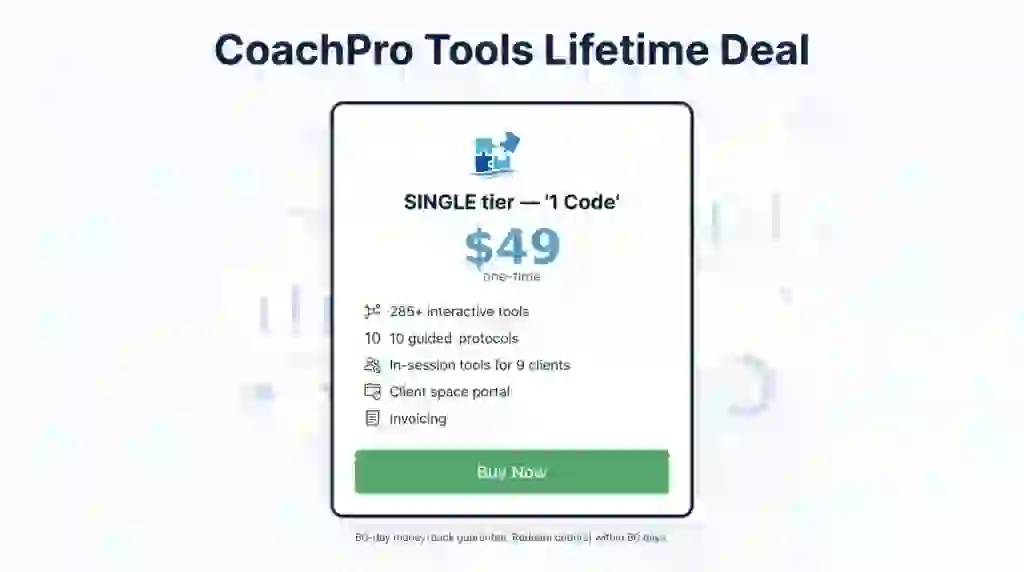
There is no tier maze here: one simple tier.
License Tier 1 — “1 Code” — $49 one-time
- Lifetime access to the CoachPro Tools platform
- 251 interactive coaching tools across 15 categories
- 10 guided protocols with metrics and action plans
- Client CRM: Today, Clients, Schedule, Bookings
- In-session tools: group video calls (up to 9 clients), whiteboard, live notes, kanban, mind map, quick capture, record screen
- Client “space” portal with named links and expiry control
- Organizations climate measurement with 19 instruments
- Invoicing with own numbering and accountant export
- Full data export; 60-day money-back guarantee; not stackable (one code only)
Pricing note: the page’s sticky buy box shows a struck-through $297 next to the price — that is a reference “value”, not the deal price. You pay $49 one-time. You must redeem your code within 60 days of purchase, and all future plan updates are included. This is a Radar product, so it is not covered by AppSumo’s We Got Your Back guarantee.
How to Get an Extra 10% OFF On CoachPro Tools Lifetime Deal?

- Follow the instructions and get the extra benefit of 10% OFF 😉
- Go to this link AppSumo and get 10% OFF
- You will see a pop-up form comes for unlocking a 10% discount
- Provide your email there and claim your discount
- Note: This is available for first-time purchases only
5 Best CoachPro Tools Alternatives 2026
There are several solid all-in-one coaching platforms. Here is how they compare.
CoachPro Tools vs Paperbell
Paperbell is an all-in-one coaching business platform: scheduling, payments, packages, contracts, intake forms, client portal, and a simple website in one account, with your own Stripe or PayPal connected.
- Starting price: $97 per month ($970/year), flat. (Prices verified Aug 2026.)
- Main advantages: one predictable flat price with unlimited clients; includes a coaching website and group coaching support.
- Main limitation: no built-in video calling (you plug in your own meeting link); no free-forever plan.
- Difference from CoachPro Tools: Paperbell focuses on the business side (booking, payment, packages); CoachPro Tools focuses on the in-session side (251 interactive tools, guided protocols). Also: Paperbell has no lifetime deal — it is subscription only.
CoachPro Tools vs CoachAccountable
CoachAccountable centers on between-session accountability: worksheets, session notes, metrics, and client reminders, with every feature on every tier.
- Starting price: $20 per month (up to 2 clients; price scales with roster).
- Main advantages: every feature unlocked on every plan — no feature-gating; strong accountability workflows.
- Main limitation: prices rise as your roster grows; no native video or session tools.
- Difference from CoachPro Tools: cheaper entry, but no interactive tool library and no lifetime deal.
CoachPro Tools vs PracticeBetter
PracticeBetter is a practice-management platform popular with health and wellness practitioners: scheduling, charting, telehealth, payments, programs, and HIPAA-compliant messaging.
- Starting price: free Sprout plan (up to 3 clients); Starter $35/month ($25/month billed annually).
- Main advantages: generous free tier; clinical-style records and charting; HIPAA compliance.
- Main limitation: built for health/wellness, not general coaching; interactive session tools are limited.
- Difference from CoachPro Tools: better fit for health coaches with charting needs; not a one-time purchase.
CoachPro Tools vs Satori
Satori is a coaching platform built around single-link client onboarding, packages, and ICF hour logging.
- Starting price: $39/month ($33/month billed annually; 10-client cap on entry tier).
- Main advantages: frictionless onboarding link; ICF hour logging built in.
- Main limitation: client cap on the entry tier; subscription only.
- Difference from CoachPro Tools: smoother onboarding, but no tool library, no lifetime deal, and you pay forever.
CoachPro Tools vs Delenta
Delenta is an all-in-one coaching platform with one of the longest feature lists in the category, including a course builder.
- Starting price: $29/month ($229/year).
- Main advantages: course builder included; long feature list for the price.
- Main limitation: monthly cost adds up; the tool library is not interactive like CoachPro’s.
- Difference from CoachPro Tools: better if you also sell courses; weaker on in-session interactive tools and no lifetime pricing.
Which CoachPro Tools alternative fits best?
Pick Paperbell if you want one flat subscription covering the whole business side. Pick CoachAccountable if between-session accountability is your priority. Pick PracticeBetter if you are a health coach who needs clinical records (and a free tier). Pick Satori if single-link onboarding and ICF hour logging matter most. Pick Delenta if you sell courses alongside coaching. Pick CoachPro Tools if you want the interactive session-tool library plus a one-time lifetime deal instead of a monthly bill.
Final Thoughts – CoachPro Tools Review 2026
What I like most is the thing I was most skeptical about: the tools are real. Real sliders, real charts, real guided protocols — not a PDF library pretending to be software. For a coach who runs sessions every day, having 251 of those one click away is genuinely useful.
The second thing that matters is that clients need nothing. No app, no signup, no tutorial. That removes the biggest friction point of any coaching platform: the first session with a less tech-savvy client.
The one-time price is the easy math: $49 once instead of $20–$97 every month forever pays for itself in under two months. Check the current AppSumo page, redeem your code within 60 days, and if the tools match how you coach, this CoachPro Tools lifetime deal is worth a serious look.