Posting on social media eats time in small pieces. I write one post, then I open TikTok, Instagram, X, LinkedIn, and the rest — one tab at a time, one upload at a time. By the time I finish, the morning is gone.
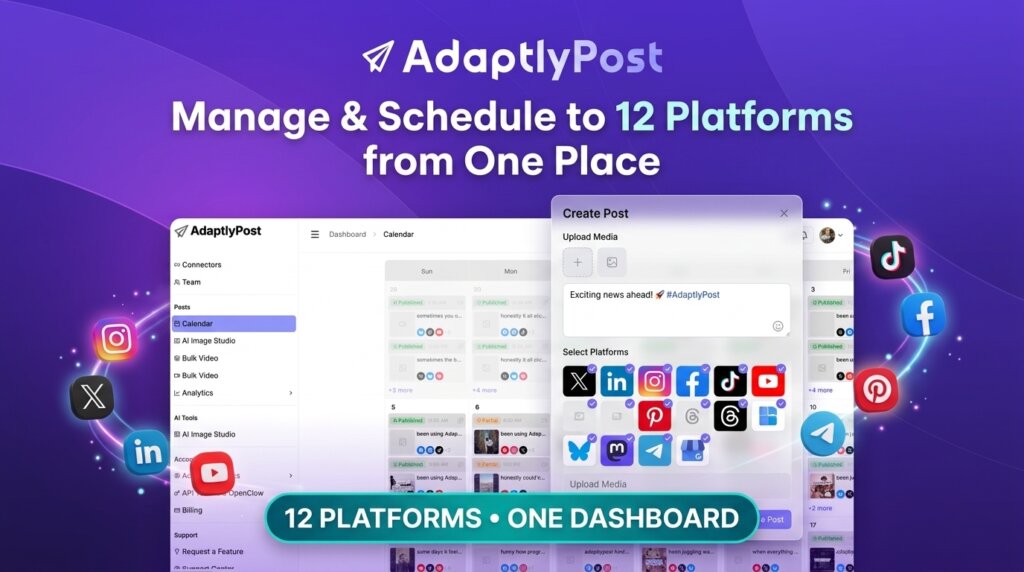
AdaptlyPost fixes that problem in one place. It lets me plan, schedule, and publish to 12 platforms from a single dashboard — X, LinkedIn, Instagram, Facebook, TikTok, YouTube, Pinterest, Threads, Bluesky, Mastodon, Telegram, and Google Business Profile. I can write AI captions, generate images, and even let an AI agent post for me through its API.
Right now, the AdaptlyPost lifetime deal starts at $59 one-time on AppSumo. Every tier includes the full feature set — unlimited scheduled posts, AI captions, the AI Image Studio, and API access. Higher tiers only add more connected accounts, credits, team members, and workspaces. AdaptlyPost is rated 4.93 out of 5 from 68 reviews on AppSumo.
Core Features of AdaptlyPost Lifetime Deal
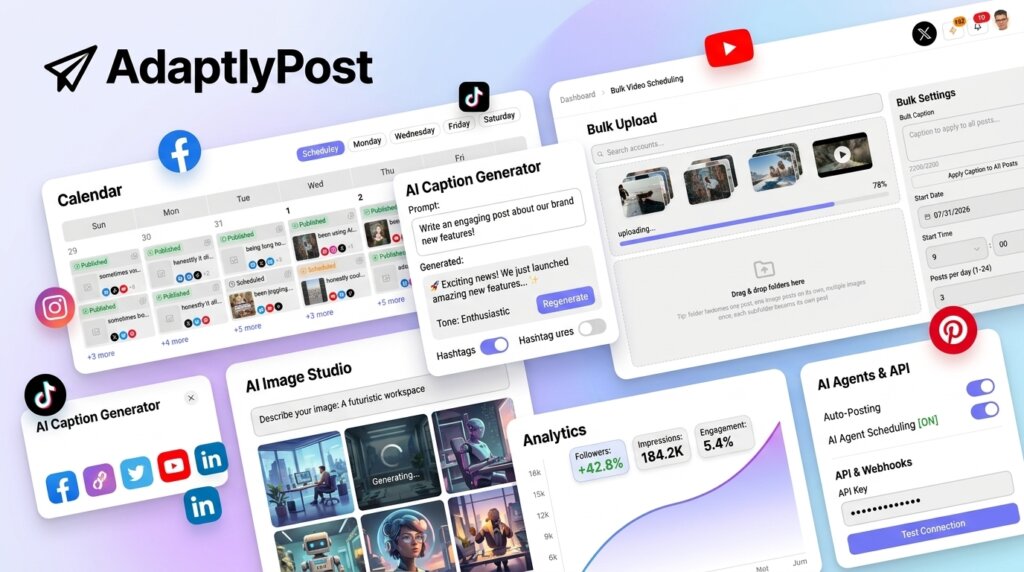
Publish to 12 Platforms From One Calendar
This is the feature I care about most. I map out weeks or months of content in one visual calendar, so I always know what is going live and where.
It can also schedule posts at optimal times based on my audience, and I can preview and tailor each post per platform before it publishes. No more one-size-fits-all posts.
Bulk Scheduling for Images and Videos
When I have a batch of content, I do not queue it one by one. I can upload and schedule up to 100 videos or 30 image posts in one session.
For each post I set platform-specific captions, hashtags, and posting times. The same content feels purpose-built on every platform, without tab-switching.
AI Captions and AI Image Studio
Writing captions from scratch is slow. AdaptlyPost writes AI captions for my posts, which gives me a fast first draft to edit.
The AI Image Studio generates social-ready images from a simple text prompt. I can edit, resize, or regenerate until the visual fits my brand, then export it in the right dimensions for each platform.
AI Agents, API, and OpenClaw Automation
This part feels different from older schedulers. I can connect via API and publish content programmatically, or set up an AI agent with tools like Claude Code or Cursor using an API token.
Access is controlled with secure tokens and permissions, so the agent only does what I allow. I stay in charge; the tool handles the actual posting.
Analytics Dashboard With Secure Connections
I can see what performs in the Analytics Dashboard, so I know which posts are worth repeating. It keeps my decisions based on data, not guesses.
Accounts connect through official OAuth logins. My passwords are never viewed or stored by AdaptlyPost, which is how this should work.
Pros of AdaptlyPost
- 12 platforms in one place: X, TikTok, Instagram, YouTube, LinkedIn, and seven more from a single calendar.
- No feature locking: Every tier gets unlimited posts, AI captions, AI Image Studio, and API access — tiers only change capacity.
- Strong starting price: $59 one-time for 25 connected accounts is easy value against monthly schedulers.
- Bulk scheduling: Up to 100 videos or 30 image posts per session saves real hours.
- AI agent ready: API, MCP, and OpenClaw support let AI assistants post and schedule for me.
- High buyer rating: 4.93 out of 5 from 68 AppSumo reviews.
Cons of AdaptlyPost
- Monthly credits are capped: Each tier limits monthly credits — 200 on Tier 1 up to 3,000 on Tier 4 — so heavy AI use may need a higher tier.
- Capacity caps by tier: Connected accounts, team members, and workspaces are limited per tier; big multi-client setups need Tier 3 or 4.
- Analytics could go deeper: AppSumo’s review summary notes users want more advanced analytics.
- Occasional speed issues: The same review summary mentions occasional slowness.
- Instagram setup rules: Instagram needs a Business or Creator account linked to a Facebook Page before it will connect, per the FAQ.
Who is AdaptlyPost best for?
- Solo creators: Schedule a month of posts to every platform in one sitting, for $59 once.
- Small business owners: Keep 12 channels active without hiring a social media manager.
- Freelance social media managers: Separate client accounts into workspaces and schedule in bulk.
- Agencies: Tier 3 and Tier 4 add up to 250 accounts, 50 team members, and 150 workspaces for client work.
- AI-first users: If you already use AI agents, the API and OpenClaw integration let them publish for you.
- Buffer or Hootsuite switchers: If monthly per-channel or per-seat bills annoy you, this AdaptlyPost review covers a one-payment alternative.
AdaptlyPost AppSumo Pricing Plan
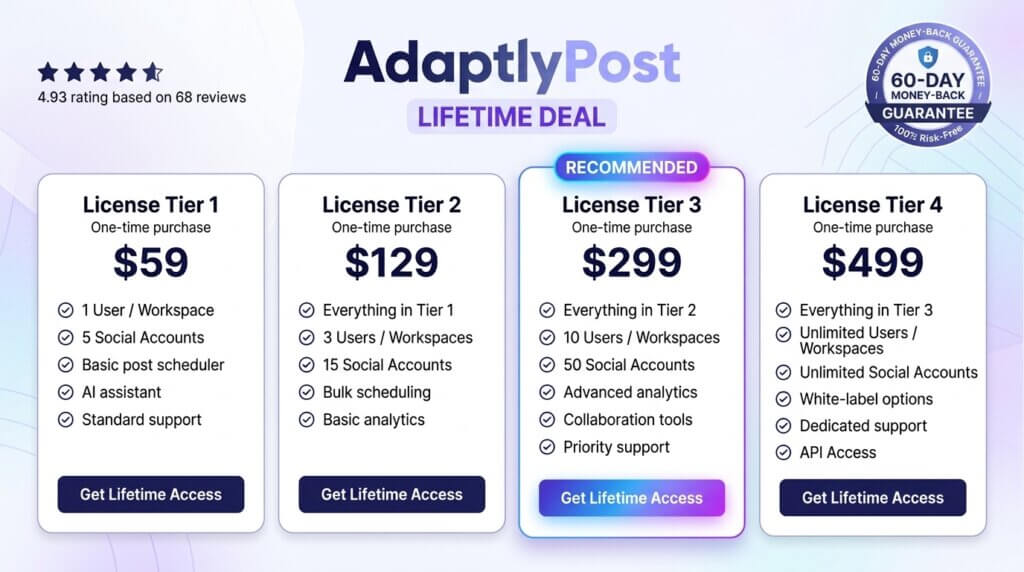
The AdaptlyPost lifetime deal is a one-time payment for lifetime access. Every tier includes the same features; higher tiers add capacity. Below is what I verified on the live AppSumo page today — always re-check before you buy, because tiers can change.
License Tier 1 — $59
- Lifetime access to AdaptlyPost
- 25 connected social accounts
- 200 credits per month
- 1 team member
- 3 workspaces
- Unlimited scheduled posts to 12 platforms
- AI captions and AI Image Studio
- Visual calendar with optimal-time scheduling and per-platform previews
- Bulk scheduling (up to 100 videos or 30 image posts per session)
- API and MCP access, OpenClaw integration, analytics dashboard
License Tier 2 — $129
Includes everything in License Tier 1, plus:
- 50 connected social accounts
- 600 credits per month
- 5 team members
- 15 workspaces
License Tier 3 — $299
Includes everything in License Tier 2, plus:
- 100 connected social accounts
- 1,400 credits per month
- 20 team members
- 50 workspaces
- The tier AppSumo marks as Recommended
License Tier 4 — $499
Includes everything in License Tier 3, plus:
- 250 connected social accounts
- 3,000 credits per month
- 50 team members
- 150 workspaces
How to Get an Extra 10% OFF On AdaptlyPost Lifetime Deal?

- Follow the instructions and get the extra benefit of 10% OFF 😉
- Go to this link AppSumo and get 10% OFF
- You will see a pop-up form comes for unlocking a 10% discount
- Provide your email there and claim your discount
- Note: This is available for first-time purchases only
5 Best AdaptlyPost Alternatives 2026
AdaptlyPost is not the only way to schedule social posts. Here are five solid alternatives I would compare before buying.
AdaptlyPost vs Buffer
Buffer is the best-known simple scheduler, with a clean queue system and a free plan. It charges per channel, so every connected account adds to the bill.
- Starting price: Free for 3 channels; Essentials from $6 per channel per month
- Main advantages: Very easy to use, generous free plan, trusted brand
- Main limitation: Per-channel pricing adds up fast when you run many accounts
- Difference from AdaptlyPost: Buffer bills monthly forever; AdaptlyPost is one payment for lifetime access
AdaptlyPost vs Hootsuite
Hootsuite is the enterprise veteran, built for large teams with approvals, streams, and social listening.
- Starting price: Standard from $99 per user per month billed annually
- Main advantages: Deep features for big teams, strong brand monitoring
- Main limitation: Per-seat pricing gets expensive quickly for small teams
- Difference from AdaptlyPost: Hootsuite targets enterprises; AdaptlyPost gives small teams the core job for one flat payment
AdaptlyPost vs Later
Later is a visual-first scheduler loved by Instagram-focused creators, with a drag-and-drop calendar and link-in-bio tools.
- Starting price: From $18.75 per month
- Main advantages: Best-in-class visual planning, strong Instagram workflow
- Main limitation: Social Sets model (one account per network) can force extra sets
- Difference from AdaptlyPost: Later wins on visual feed planning; AdaptlyPost wins on platform count and one-time pricing
AdaptlyPost vs Metricool
Metricool focuses on analytics and reporting, with competitor tracking and downloadable reports, priced per brand.
- Starting price: Free for 1 brand; Starter from $20 per month billed annually
- Main advantages: Strong analytics, competitor analysis, free plan
- Main limitation: X/Twitter access costs extra on paid plans
- Difference from AdaptlyPost: Metricool is analytics-first; AdaptlyPost is publishing- and automation-first with a lifetime deal
AdaptlyPost vs SocialBee
SocialBee organizes content into category queues and recycles evergreen posts, which suits steady content libraries.
- Starting price: Bootstrap from $29 per month for 5 profiles
- Main advantages: Evergreen recycling, good content organization
- Main limitation: Category setup takes more effort at the start
- Difference from AdaptlyPost: SocialBee wins on content recycling; AdaptlyPost wins on AI image generation, agent automation, and one-time pricing
Which AdaptlyPost alternative fits best?
If you want the simplest free start, pick Buffer. If you run a large team with listening needs, Hootsuite fits better. If Instagram visuals are your whole strategy, Later is the one. If reports and competitor data matter most, Metricool does that job. And if evergreen recycling is your system, SocialBee is built for it. For me, AdaptlyPost makes the most sense when you want 12 platforms, AI help, and no monthly bill.
Final Thoughts – AdaptlyPost Review 2026
What I like most about AdaptlyPost is the shape of the deal. Every tier gets every feature, so I am only choosing how much room I need — not paying extra to unlock the good parts. That is rare.
The controls that matter most to me are the visual calendar with optimal-time scheduling, the bulk uploader, and the AI agent access. Those are the things that turn an hour of posting into a few minutes.
If you post on social media every week, the AdaptlyPost lifetime deal at $59 one-time is easy to justify against monthly schedulers — just confirm the current tier capacity on AppSumo first, and pick the tier that matches your account count.