WooCommerce is powerful, but its default pages look plain. The shop page, product page, cart and checkout all follow the same fixed layout. If I want to change how they look, I usually need custom code or a pile of separate plugins.
Shoplentor fixes that. It is a no-code WooCommerce page builder for WordPress. I can design custom shop, product, cart, checkout, account and email templates with drag and drop. It works with both Elementor and Gutenberg, and Elementor Pro is not required. It also packs in store features like variation swatches, quick view, wishlist and abandoned cart tools, so one plugin can replace several smaller ones.
Right now there is a Shoplentor lifetime deal on AppSumo. It starts at $69 one-time for up to 10 websites. A second code raises that to 100 websites. Both options give lifetime access with a 60-day money-back guarantee.

Core Features of Shoplentor Lifetime Deal
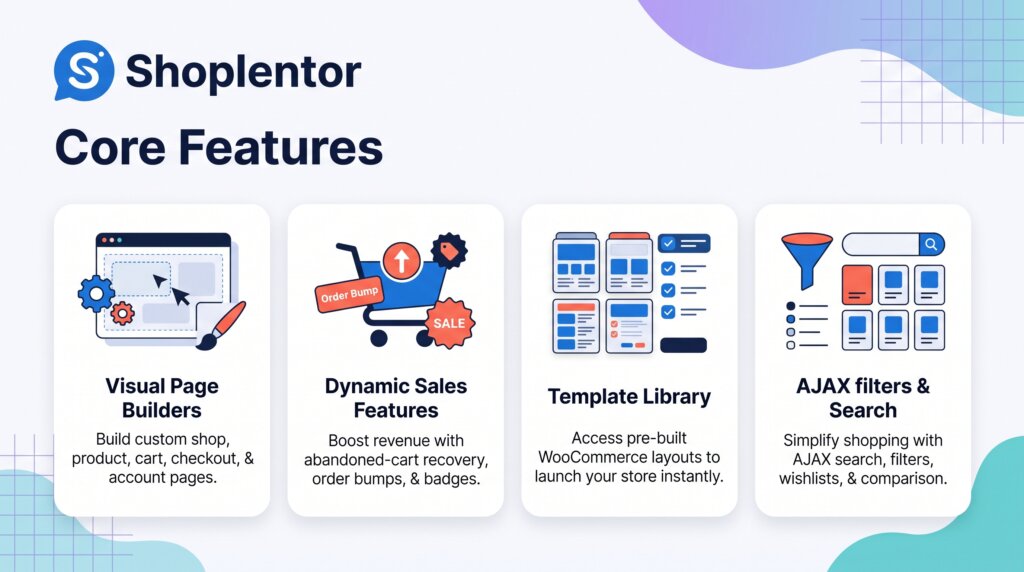
Custom WooCommerce template builder
I can build my own layouts for the shop page, single product pages, archives, cart, checkout, My Account and thank you pages. This is the main reason to use Shoplentor. My store stops looking like every other WooCommerce site.
Works with Elementor and Gutenberg
Most WooCommerce builders force one editor. Shoplentor supports both Elementor widgets and Gutenberg blocks. I can pick the editor that fits my workflow and still use the same store toolkit.
Ready-made template library
The plugin ships with a large library of ready-made templates (280+ on the vendor’s homepage). I can import a design and adjust it instead of starting from a blank page. This saves real time on client stores.
Shopping experience modules
Shoplentor includes variation swatches, product quick view, wishlist, product compare, product badges and a product grid. These are small features, but they make product pages easier to browse. On their own, each one would normally be a separate plugin.
Cart and checkout tools
The checkout side is well covered. There is a checkout field manager, partial payment, sticky add to cart, single product AJAX add to cart, a side mini cart and a free shipping bar. I can shape the buying flow instead of accepting the default one.
Conversion and recovery modules
For sales, Shoplentor adds abandoned cart tools, order bump, a cross-sell popup and a currency switcher. The email customizer and email automation help here too. These tools aim at one thing: fewer lost carts and bigger orders.
Pros of Shoplentor
- Two editors, one toolkit: Elementor and Gutenberg are both supported, and Elementor Pro is not required.
- Replaces several plugins: Swatches, wishlist, compare, quick view, badges and checkout tools live in one plugin.
- Full page control: Shop, product, cart, checkout, account and email templates can all be customised without code.
- Generous site limits: Even one code covers 10 websites, which suits freelancers well.
- Same features on both codes: The cheaper code is not feature-limited; only the website count changes.
- Proven product: The plugin has been developed since 2018 and holds a 4.9 rating from 50 reviews on AppSumo.
Cons of Shoplentor
- WooCommerce only: If I do not run a WordPress store, this plugin has no use for me.
- Second code is only about sites: There are no extra features in the 100-website option, so it is wasted money below 11 sites.
- Learning curve: With this many widgets and modules, I need some time to learn what does what.
- Can get heavy: Turning on every module at once may slow a store down. I enable only what I use.
- Not for special cases: Subscriptions, bookings or complex shipping rules may still need dedicated plugins.
Who is Shoplentor best for?
- WooCommerce store owners: Owners who want product, cart and checkout pages that match their brand instead of the default layout.
- Freelancers: Builders who launch client stores and can reuse one 10-site license across projects.
- Agencies: Teams running many stores that can use the 100-website option as a standard toolkit.
- Elementor users: People who want WooCommerce design control without paying for Elementor Pro.
- Gutenberg users: Block-editor fans who want more WooCommerce blocks and ready templates.
- Plugin minimalists: Store owners tired of updating ten small plugins for swatches, wishlist, compare and popups.
Shoplentor AppSumo Pricing Plan

The Shoplentor lifetime deal has two simple options. Both give lifetime access. You can stack up to 2 codes. Codes must be redeemed within 60 days of purchase. Every purchase is covered by a 60-day money-back guarantee.
License Tier 1 — $69
- One-time payment of $69 (regular price $99)
- Activate on up to 10 websites
- Maps to the Plus Plan with future Plus Plan updates
- Custom builders for shop, archive, product, cart, checkout and account templates
- Full template library
- Currency switcher and multi-currency support
- Abandoned cart tools
- Order bump and cross-sell popup
- Compare and wishlist
- Sticky add to cart and AJAX add to cart
- Product badges and product grid
License Tier 2 — $138
Includes everything in License Tier 1, plus:
- Total one-time payment of $138 (regular price $149) — buy 2 codes
- Activate on up to 100 websites
- Maps to the Growth Plan with future Growth Plan updates
- Marked as the Recommended option on AppSumo
For most people, I think Tier 1 is the sensible buy. Tier 2 only makes sense when I truly manage more than 10 stores.
How to Get an Extra 10% OFF On Shoplentor Lifetime Deal?

- Follow the instructions and get the extra benefit of 10% OFF 😉
- Go to this link AppSumo and get 10% OFF
- You will see a pop-up form comes for unlocking a 10% discount
- Provide your email there and claim your discount
- Note: This is available for first-time purchases only
5 Best Shoplentor Alternatives 2026
If Shoplentor is not the right fit, these are the tools I would look at next.
Shoplentor vs ShopEngine
ShopEngine is another broad WooCommerce builder, made by WPMet. It is built mainly around Elementor, with its own widgets, modules and templates.
- Starting price: $59/year for 1 site; lifetime plans from $149
- Main advantages: Mature Elementor toolkit, free version to test, direct lifetime option outside AppSumo
- Main limitation: Yearly pricing for most users; the best value sits in bundles
- Difference from Shoplentor: ShopEngine is Elementor-first, while Shoplentor gives me both Elementor and Gutenberg in one plugin
Shoplentor vs JetWooBuilder
JetWooBuilder is Crocoblock’s WooCommerce builder for Elementor. It focuses on product, shop, cart, checkout and account templates.
- Starting price: $43/year for 1 site (standalone)
- Main advantages: Deep Elementor control and a natural fit with other JetPlugins
- Main limitation: Works best inside the Crocoblock ecosystem, which adds cost
- Difference from Shoplentor: JetWooBuilder is Elementor-only; Shoplentor also covers Gutenberg and bundles more conversion modules
Shoplentor vs CoDesigner
CoDesigner (formerly Woolementor) is an Elementor add-on for WooCommerce stores by Codexpert. It covers store page design with a lighter feel.
- Starting price: $49.99/year for 1 site; lifetime from $149.99
- Main advantages: Lower entry price and a simpler, focused widget set
- Main limitation: Smaller template and module library than Shoplentor
- Difference from Shoplentor: CoDesigner is a design add-on first; Shoplentor adds checkout, cart recovery and currency tools on top of design
Shoplentor vs Elementor Pro
Elementor Pro is the general WordPress page builder. Its Theme Builder can design WooCommerce product and archive pages on higher plans.
- Starting price: $59/year for 1 site; WooCommerce Builder needs a higher plan
- Main advantages: One design system for the whole site, huge template ecosystem
- Main limitation: Yearly subscription, and store features like swatches or wishlist still need extra plugins
- Difference from Shoplentor: Elementor Pro designs pages; Shoplentor is built only for WooCommerce and includes the store modules too
Shoplentor vs CartFlows
CartFlows focuses on checkout funnels. It adds order bumps, one-click upsells and custom checkout layouts to WooCommerce.
- Starting price: $99/year intro price for the Starter plan (renews at $149/year)
- Main advantages: Strong funnel and A/B testing tools for checkout optimisation
- Main limitation: It does not design shop, product or account pages
- Difference from Shoplentor: CartFlows is about the funnel; Shoplentor covers the whole store design plus basic conversion tools
Which Shoplentor alternative fits best?
If I want another all-in-one WooCommerce builder, ShopEngine is the closest match. JetWooBuilder fits Elementor users already in the Crocoblock ecosystem. CoDesigner suits smaller budgets and simpler stores. Elementor Pro is best when I need one builder for the entire website, not just the store. CartFlows is the pick when checkout funnels matter more than page design.
Final Thoughts – Shoplentor Review 2026
What I like most about Shoplentor is the control. I can redesign every page a customer sees, from the shop grid to the thank you page, without writing code. The fact that it works in both Elementor and Gutenberg makes it easy to fit into any WordPress setup I already have.
The modules matter too. Variation swatches, wishlist, compare, abandoned cart and order bump are features I would otherwise buy one by one. Having them in a single plugin keeps my store lighter and my updates simpler.
For a one-time $69 covering 10 websites, the value is hard to argue with. If you run a WooCommerce store and want it to look and sell better, this Shoplentor lifetime deal is worth picking up while it lasts.