NarrateAI Lifetime Deal – Turn Silent Screen Recordings Into Narrated Videos
I record my screen a lot. Product demos, feature walkthroughs, quick tutorials for customers. The recording is the easy part. The hard part is the voiceover.
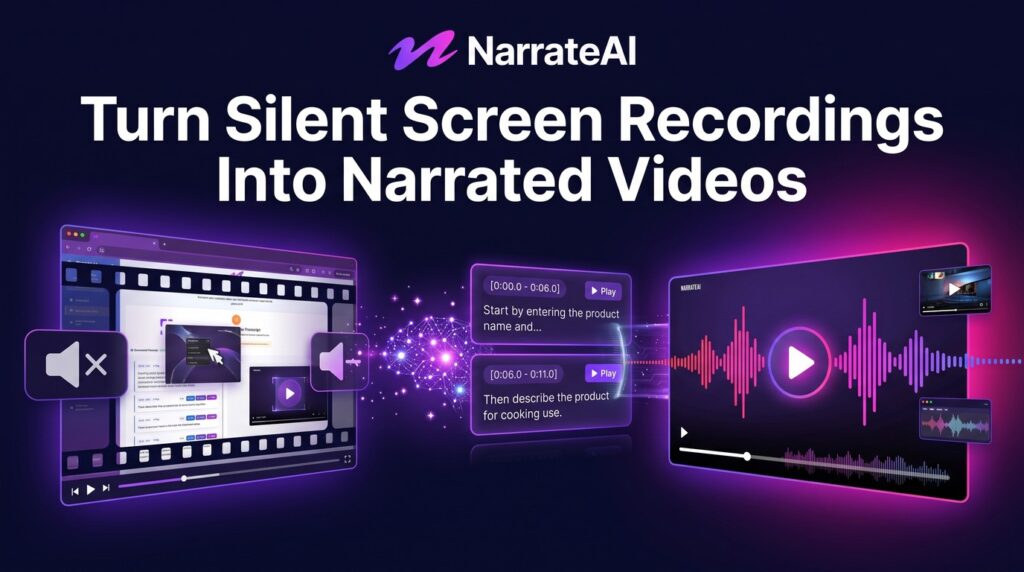
I used to write a script, record it, mess up a line, re-record, then spend an hour syncing the audio to the video. A three-minute demo could eat a whole afternoon. NarrateAI does that job for me. I upload a silent recording, and it watches the video, writes a script that matches what is on screen, and returns a narrated video in about 5 to 10 minutes.
The NarrateAI lifetime deal starts at $49 once for lifetime access. That buys 45 minutes of narration every month for life. Higher tiers add more monthly minutes, more video storage, and more dubbing and batch capacity. There is no subscription.
Core Features of NarrateAI Lifetime Deal
AI Script Written From Your Video
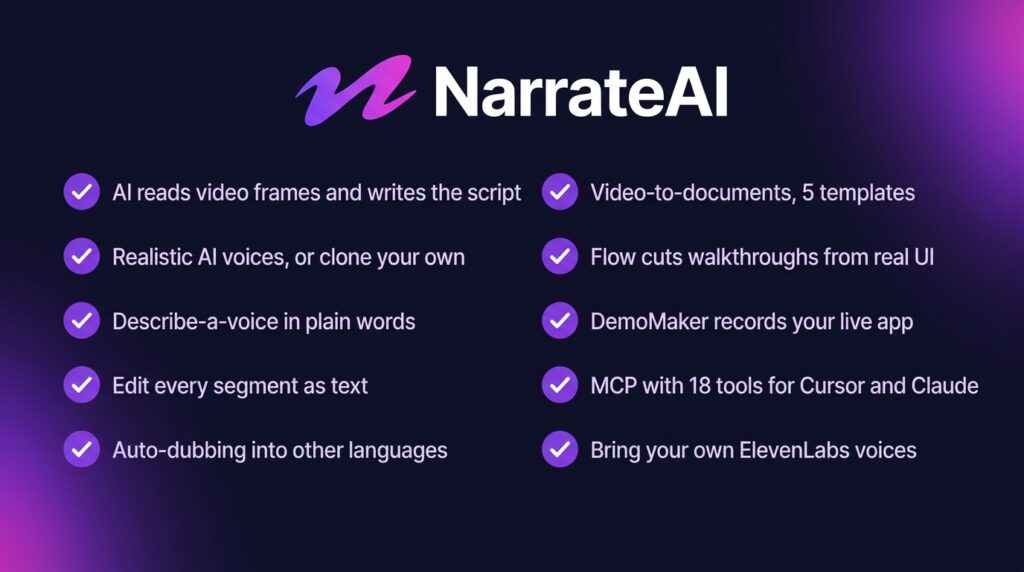
NarrateAI reads the frames of your silent screen recording and writes a script timed to what is actually on screen. You do not write the script yourself. You do not guess what to say at each step. The AI watches the video and drafts the narration for you.
Realistic AI Voiceover
The tool comes with a library of realistic AI voices. Pick one you like and it narrates your video in that voice. The result sounds like a real presenter, not a robot reading a manual.
Voice Cloning From a Short Sample
You can clone your own voice from a 10 to 15 second sample. Then your demos sound like you, even when you never recorded a word. This is the feature I like most. It keeps my videos personal without the recording sessions.
Describe-a-Voice
If you do not want to upload a recording, you can describe a voice in ordinary words instead. Write what it should sound like, hear the line, ask for a change, and save it. Described voices work in ten languages.
Edit Segments as Text
Every narration is split into segments you can edit as plain text. If a line is wrong, fix the words and send it back. You can also run a line through an AI feedback pass if it does not sound right. No audio editing skills needed.
Auto Dubbing and Video-to-Documents
Auto dubbing transcribes your video, translates it, and generates a natural AI voiceover in the target language. It can preserve your background music. Video-to-documents turns the same recording into a written guide with five templates: User Onboarding, Business Overview, Tutorial Guide, Feature Showcase, and Product Documentation. Each one is auto-filled with screenshots and keyframes from the video.
Pros of NarrateAI
- No script writing: The AI watches your recording and writes a script timed to the screen, so you skip the hardest part of making a demo.
- Your own voice, without recording: Voice cloning needs only a 10 to 15 second sample, so your videos sound like you with no studio time.
- Fast turnaround: Most videos are ready in 5 to 10 minutes from upload to narrated video.
- Dubbing built in: Auto dubbing translates and re-voices your video in another language, with background music preserved.
- Docs from the same video: One recording becomes a narrated video and a written guide with screenshots, which saves a second round of work.
- Developer friendly: DemoMaker records your live app from your IDE, and MCP access gives you 18 tools from Cursor, Claude, or any MCP-compatible client.
- One-time payment: $49 once for lifetime access, with all future plan updates included.
Cons of NarrateAI
- Monthly minutes do not roll over: Unused minutes reset every month. A light month cannot bank minutes for a heavy one.
- Overage costs extra: Anything past your monthly minutes is billed at $0.40 per minute.
- Young product, thin proof: NarrateAI joined AppSumo around August 2026 and has only 10 reviews so far. All 10 are 5-star, but that is still a small sample.
- High refund rate on the deal page: The AppSumo page shows a 26.5% refund rate across 100+ transactions. That is high for a lifetime deal, and worth knowing before you buy.
- No We Got Your Back coverage: This is a Radar listing and is not covered by AppSumo’s We Got Your Back guarantee.
- Bring-your-own voices bill separately: You can connect your own ElevenLabs API key and use any voice on that account, but ElevenLabs bills that speech on your own account. It does not use your NarrateAI minutes.
- Voice polish is still improving: The AppSumo review summary notes that some users still want more voice styles and occasional editing for technical terms.
Who is NarrateAI best for?
- Developers: You ship a feature and need a narrated demo fast, without writing a script or recording audio.
- Product managers: You turn release walkthroughs and onboarding recordings into polished videos for customers and your team.
- Course creators: You record silent tutorials and let NarrateAI add the narration, instead of re-recording every lesson.
- SaaS founders and marketers: You need product demos and feature showcases that look and sound professional on a small budget.
- Support and onboarding teams: You turn one screen recording into a narrated video and a written guide with screenshots.
- YouTubers and demo creators: You make software walkthroughs often and want a fast, repeatable voiceover workflow.
NarrateAI AppSumo Pricing Plan
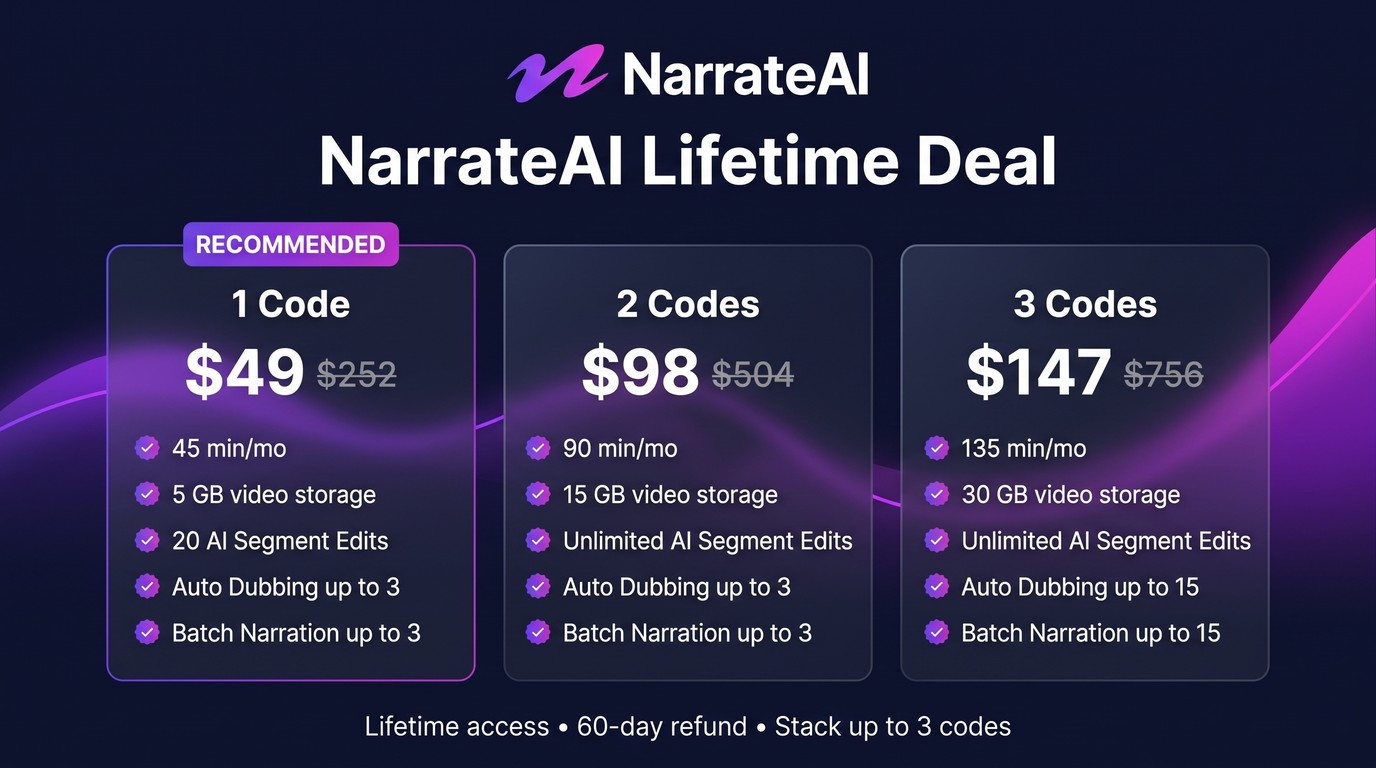
The deal is code-based. You can stack up to 3 codes. Every tier includes lifetime access, voice cloning, DemoMaker with MCP access, and video library regenerate and translate. Overage is $0.40 per minute beyond your included minutes on every tier.
License Tier 1 — $49
- One-time payment of $49 (list price $252)
- 45 minutes of narration every month
- 5 GB of video storage
- 20 AI Segment Edits
- Auto Dubbing up to 3
- Batch Narration up to 3
- Voice Cloning
- DemoMaker + MCP Access
- Video Library regenerate and translate
License Tier 2 — $98
Includes everything in License Tier 1, plus:
- 90 minutes of narration every month
- 15 GB of video storage
- Unlimited AI Segment Edits
License Tier 3 — $147
Includes everything in License Tier 2, plus:
- 135 minutes of narration every month
- 30 GB of video storage
- Auto Dubbing up to 15
- Batch Narration up to 15
The NarrateAI lifetime deal is refundable for 60 days. You need to redeem your code or codes within 60 days of purchase. All future plan updates are included.
How to Get an Extra 10% OFF On NarrateAI Lifetime Deal?

- Follow the instructions and get the extra benefit of 10% OFF 😉
- Go to this link AppSumo and get 10% OFF
- You will see a pop-up form comes for unlocking a 10% discount
- Provide your email there and claim your discount
- Note: This is available for first-time purchases only
5 Best NarrateAI Alternatives 2026
NarrateAI is built for one job: turning silent screen recordings into narrated videos. These alternatives cover parts of that job, but none of them does the whole flow.
NarrateAI vs ElevenLabs
ElevenLabs is the biggest name in AI voice generation, with a huge voice library and strong cloning.
- Starting price: $5/month (Starter plan)
- Main advantages: 3,000+ voices, professional voice cloning, and a free tier to try it out
- Main limitation: Voiceover only. It does not watch your video, write a script from it, or generate documents.
- Difference from NarrateAI: ElevenLabs gives you better voices and more control over voice quality, but you still write the script and sync the audio yourself. NarrateAI automates the whole demo flow.
NarrateAI vs Murf AI
Murf AI is a voiceover studio built for video, with a timeline editor and Canva integration.
- Starting price: $19/month billed annually (Creator plan)
- Main advantages: 200+ voices in 35+ languages, a timeline studio built for video voiceover, and commercial rights
- Main limitation: No AI script written from watching your video, and no automatic document generation.
- Difference from NarrateAI: Murf is a better tool if you want to hand-craft voiceover on a timeline. NarrateAI is better if you want the script and narration done for you from a silent recording.
NarrateAI vs Descript
Descript is a full text-based video editor. You edit video by editing the transcript, and it includes transcription, dubbing, and AI voice features.
- Starting price: $16/month billed annually (Hobbyist plan)
- Main advantages: A complete video editor, transcription and dubbing in 30+ languages, and custom voice clones
- Main limitation: No automatic script-from-silent-recording narration flow, and pricing is per editor seat, metered by media hours and AI credits.
- Difference from NarrateAI: Descript is the stronger choice if you want to edit full videos. NarrateAI is simpler and cheaper if you only need narration for screen recordings.
NarrateAI vs WellSaid Labs
WellSaid Labs makes polished, natural AI voices aimed at learning and development narration.
- Starting price: $49/month (Maker plan)
- Main advantages: Very natural voices, 24 voice avatars, 30+ voice styles, and unlimited retakes
- Main limitation: Audio-only output. No video narration, no script from video, and no dubbing of existing videos. The Maker plan also excludes commercial usage.
- Difference from NarrateAI: WellSaid wins on voice polish for training audio. NarrateAI wins on the full workflow: video in, narrated video out, plus docs.
NarrateAI vs Speechify Studio
Speechify Studio is an established voiceover and dubbing tool with voice cloning and commercial rights.
- Starting price: $19/month (Starter plan)
- Main advantages: 1,000+ HD voices, dubbing and voice cloning, and a mature, established product
- Main limitation: Voiceover and dubbing only. No script generation from watching a silent recording, no Flow walkthroughs, and no documents from video.
- Difference from NarrateAI: Speechify is the safer pick if you want a proven voiceover tool. NarrateAI is the pick if you want the script written for you from the recording itself.
Which NarrateAI alternative fits best?
Pick ElevenLabs if voice quality and cloning matter most and you are happy writing scripts yourself. Pick Murf AI if you want a timeline studio for hand-crafted video voiceover. Pick Descript if you need a full video editor, not just narration. Pick WellSaid Labs if you make training audio and want the most natural voices. Pick Speechify Studio if you want a proven, mature voiceover tool. Pick NarrateAI if you record your screen often and want the script, voice, and docs done for you from one silent recording.
Final Thoughts – NarrateAI Review 2026
What I like most about NarrateAI is the core idea. I upload a silent recording and get back a narrated video. No script writing, no recording booth, no audio syncing. For someone who makes demos every week, that saves hours.
The features that matter are the script-from-video, the voice cloning, and the dubbing. A short voice sample gives me my own voice on every demo. The dubbing and document templates mean one recording does two jobs. The MCP access and DemoMaker show this tool is built for developers, not just marketers.
At $49 once for lifetime access, the NarrateAI lifetime deal is worth it if you record your screen often and hate doing voiceover. The 45 monthly minutes on Tier 1 cover a few short demos a month. Just know the limits: minutes do not roll over, the product is young with only 10 reviews, and the refund rate on the deal page is high. Try the free trial first, then buy the tier that fits your monthly minutes.